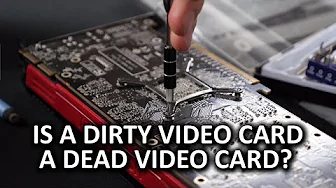
Video Card Running Poorly? Clean Your Video Card Cooler!
0 up · 0 down · 0 ratings
Channels and socials
We may not keep our office super clean, but when our video cards get so gunked up that performance suffers, we definitely know how to clean those... Audible message: Thanks to Audible for supporting our channel. Get a free audiobook of your choice at audible.com Intel link: linustechtips.com Pricing & discussion: linustechtips.com Support us: linustechtips.com Join our community forum: bit.ly twitter.com @LinusTech Title: Laszlo - Supernova Video Link: youtube.com iTunes Download Link: itunes.apple.com Artist Link: soundcloud.com Outro Screen Music Credit: Approaching Nirvana - Sugar High youtube.com
Linus Tech Tips opens with a lighthearted emphasis on cleanliness, using humor to introduce a practical guide to cleaning a graphics card cooler. The video begins by comparing dirty GPUs, which suffer in gaming performance and cooling, to shiny, properly maintained cards, and explains that the goal is to restore them to their original glory. The host measures the baseline performance of two graphics cards by loading a demanding game, Crisis 3, and recording GPU temperature and fan speed with MSI Afterburner, noting initial readings around 74 degrees Celsius and 39 percent fan speed. Next, they attempt a quick cleaning with a compressed air duster, cautioning to hold the fan to avoid damaging the GPU header and to avoid upside-down can usage to prevent residue from harming the card. After the initial pass, the results show little change, prompting a deeper dismantling approach. The video then walks through a careful disassembly: removing screws in a cross pattern, detaching the cooler, and preserving thermal pads for reassembly, with a caveat that some cards differ in cooling design. A more thorough cleaning is performed by disassembling the cooler to access the heatsink fins and base, while the host notes that the cleaning outcome can vary by model. With the cooler reassembled and new thin applications of thermal compound, the final test yields a slight improvement to about 73 degrees Celsius at 37 percent fan speed. The host emphasizes that results can vary and that cleaning is still valuable because modern GPUs can run cooler, last longer, and even boost clock speeds when thermals allow. The segment ends with a plug for Audible, a brief product promo, and practical encouragement to try the guide before discarding a GPU, reinforcing the core message that proper cleaning can meaningfully improve performance and acoustics. The video closes with calls to subscribe, comment, and explore affiliate links for supporters.
Topics · technology · hardware · pc_building · maintenance
Questions answered
- What is the first diagnostic step to assess a GPU's thermal behavior before cleaning?
- Run a baseline test with a demanding game and record GPU temperature and fan speed using a monitoring tool like MSI Afterburner.
- Why is it important to remove screws in a cross pattern when disassembling the GPU cooler?
- To avoid applying uneven pressure on the GPU die and reduce the risk of damaging the delicate components.