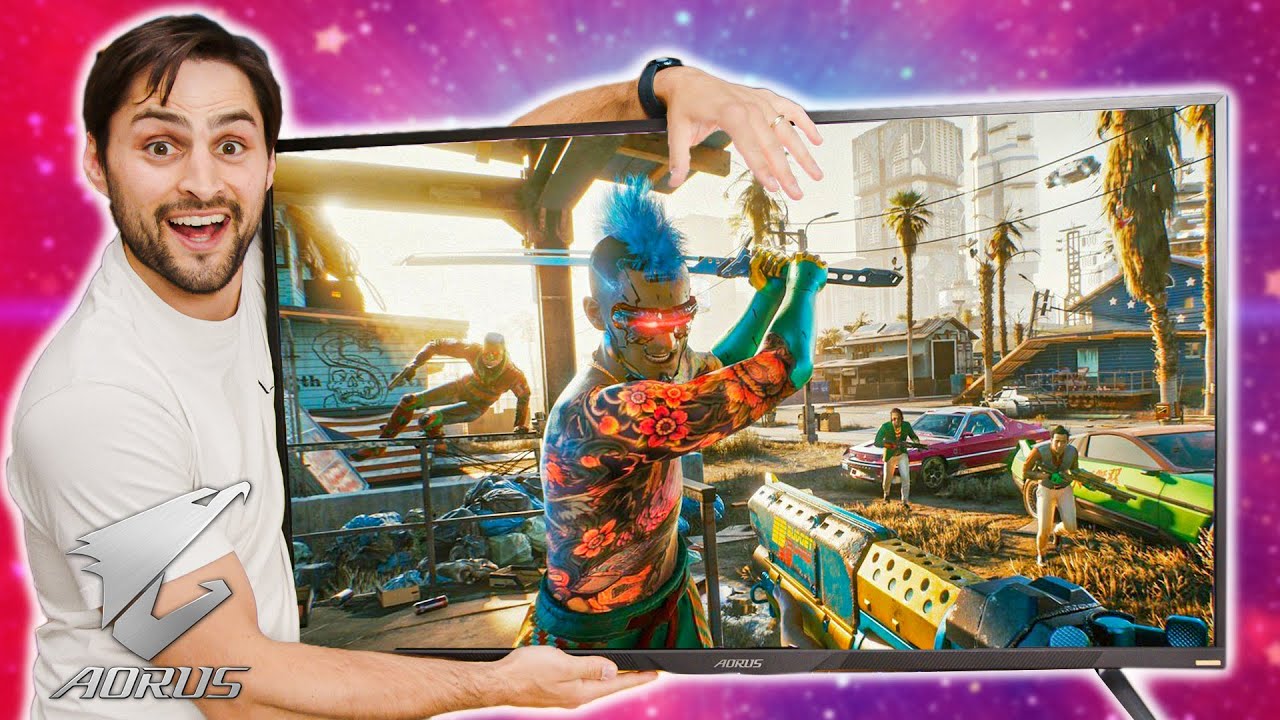
This monitor has it ALL! - AORUS FV43U
0 up · 0 down · 0 ratings
Description
Thanks to AORUS for sponsoring this video!
Check out the AORUS FV43U Gaming Monitor on Newegg at aorus.shop The AORUS FV43U gaming monitor allows you to customize to a level that most TVs don't go yet it's still called a monitor. Let's see what James thinks of it! Buy Logitech G915 TKL Wireless Keyboard On Amazon (PAID LINK): geni.us On Newegg (PAID LINK): geni.us
Check out the Glorious Model O Wireless at lmg.gg
Promos
Check out the Maingear Turbo Gaming PC we used at lmg.gg Purchases made through some store links may provide some compensation to Linus Media Group. ►GET MERCH: lttstore.com ►SUPPORT US ON FLOATPLANE: floatplane.com ►LTX EXPO: ltxexpo.com AFFILIATES & REFERRALS --------------------------------------------------- ►Affiliates, Sponsors & Referrals: lmg.gg ►Private Internet Access VPN: lmg.gg ►Our Official Charging Partner Anker: lmg.gg ►MK Keyboards: lmg.gg ►Nerd or Die Stream Overlays: lmg.gg ►Official Game Store: nexus.gg ►Amazon Prime: lmg.gg ►Audible Free Trial: lmg.gg ►Our Gear on Amazon: geni.us FOLLOW US ELSEWHERE --------------------------------------------------- Twitter: twitter.com Instagram: @shortcircuityt Facebook: @ShortCircuitYT FOLLOW OUR OTHER CHANNELS --------------------------------------------------- Linus Tech Tips: lmg.gg TechLinked: lmg.gg Mac Address: lmg.gg Techquickie: lmg.gg LMG Clips: lmg.gg Channel Super Fun: lmg.gg Carpool Critics: lmg.gg
The video is an unboxing and initial hands on of the AORUS FV43U gaming monitor, focusing on what stands out right out of the box. The host walks through the physical build, noting the TV style stand options with wide feet and a 200-by-200 millimeter VESA mount, and highlights the variety of inputs including DisplayPort 1.4 and two HDMI 2.1 ports, plus a USB-C port with 18 watts of power delivery. There is a strong emphasis on the feature set that blends monitor and TV-like capabilities, such as a simple remote, onboard speakers, and a built in KVM that lets two different machines share the same keyboard and mouse. The discussion covers display technology specifics like a VA panel with deep blacks, quantum dot enhancement for wide color coverage (DCI-P3 around 97 percent), and factory calibration data showing a Delta E around 1.25 on average for color accuracy, which is presented as impressive for a 4K 144 Hz display. The host also delves into color management, including manual RGB adjustments, color temperature profiles, and several color spaces including sRGB, DCI-P3, and Adobe, alongside a local dimming option and HDR modes for HDR-1000, gaming HDR, and HDR movie. The video then examines gaming and image quality settings such as Aim Stabilizer, Black Equalizer, Super Resolution, and Adaptive Sync with G-Sync compatible or FreeSync, and ends with practical notes about mounting, potential ghosting considerations on VA panels, and a closing call to action about a full review in the future. Throughout, the host emphasizes that you get a comprehensive feature package in a single device, combining desktop monitor utility with high end display capabilities and a large immersive screen, all packaged with a sponsorship acknowledgment. The overall takeaway is that the FV43U bundles substantial performance and versatility into a 43 inch 4K 144 Hz display with strong color fidelity, HDR capabilities, and convenient multi-device features, making it a compelling option for gamers and creative professionals alike, provided the price aligns with expectations.
Topics · gaming · hardware · displays · technology
Questions answered
- Welke kenmerken maken de AORUS FV43U onderscheidend voor gamers en professionals?
- De FV43U biedt een 43 inch 4K VA-panel met 144 Hz, HDMI 2.1, DisplayPort 1.4, USB-C met power delivery, ingebouwde luidsprekers en een KVM-switch zodat twee systemen gedeelde randapparatuur kunnen gebruiken. Verder zijn er aanpasbare kleurmodi, lokale dimming, en calibratie-opties inclusief RGB presets en meerdere kleurruimtes zoals sRGB en DCI-P3.
- Welke HDR-instellingen zijn beschikbaar en welke raadt de presentator aan te gebruiken?
- Er zijn drie HDR-modi: HDR-1000, HDR voor gaming en HDR film. De presentator geeft de voorkeur aan HDR-1000 voor de meeste nauwkeurigheid en ietsje voor film- of game-specifieke weergave.