Surface Laptop Studio Impressions: Windows 11 With a Twist!
0 up · 0 down · 0 ratings
Channels and socials
Microsoft Surface Laptop Studio That shirt! shop.mkbhd.com The Verge's Windows 11 Review: youtu.be Tech I'm using right now: amazon.com Intro Track: Jordyn Edmonds smarturl.it Playlist of MKBHD Intro music: goo.gl Laptop provided by Microsoft for video. ~ twitter.com @MKBHD @MKBHD
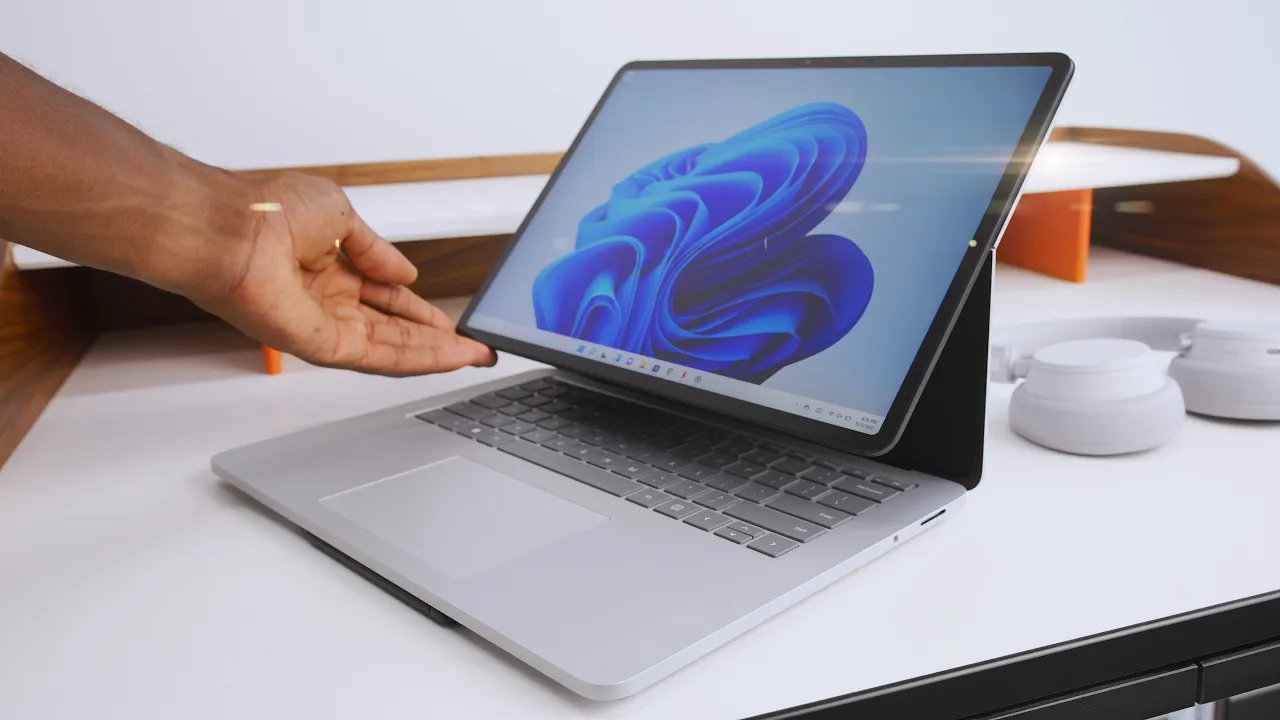
The Surface Laptop Studio is presented as a versatile hybrid device that attempts to blend three form factors into a single chassis. The video walks through the three modes: standard laptop mode, Stage Mode which tilts the screen to reveal a 45-degree easel-like position while the keyboard remains accessible, and a completely flat tablet configuration. The host evaluates each mode in practical terms, noting that Stage Mode is particularly interesting for touch-first tasks, media consumption, and certain creative workflows, while the tablet setup shines for pen-based input using the Slim Pen 2. The discussion also covers hardware build quality, port selection, and thermal behavior, highlighting a sturdy magnesium and aluminum frame but pointing out a few alignment and gap inconsistencies around the display. The reviewer compares the concept to related offerings like the Acer ConceptD and HP Elite Folio, framing the Surface Laptop Studio as a refined, Surface-branded interpretation of a three-in-one idea, with emphasis on the pen experience and the unique easel position. Finally, the video weighs the value proposition, noting that the base configurations are relatively expensive and that the GPU and other specs may deter some buyers, while acknowledging the novelty and targeted appeal for creators and power users who can leverage the specialized modes and Windows 11 features. The conclusion remains balanced: the device is cool and conceptually appealing, but it is not a universal recommendation for all buyers, with clear niches where its design and pen capabilities excel.
Topics · technology · hardware · laptops · operating systems · devices · peripherals
Questions answered
- What are the three modes of the Surface Laptop Studio and what are their primary use cases?
- The device offers laptop mode for traditional use, Stage Mode which tilts the screen to a 45-degree easel position suitable for touch input and media, and a fully flat tablet mode ideal for pen-based work and sketching.
- Does the Surface Laptop Studio include Thunderbolt 4 and what about ports for peripherals?
- Yes, the two USB-C ports are Thunderbolt 4, and there is a Surface Connect port plus a headphone jack on the opposite side, but there is no SD card reader.
- How does the Slim Pen 2 integrate with the laptop in Stage Mode?
- The Slim Pen 2 snaps magnetically underneath the front lip of the laptop for charging and storage, and when used in tablet configurations it supports various pen-driven tasks with haptic feedback and a dedicated side button.