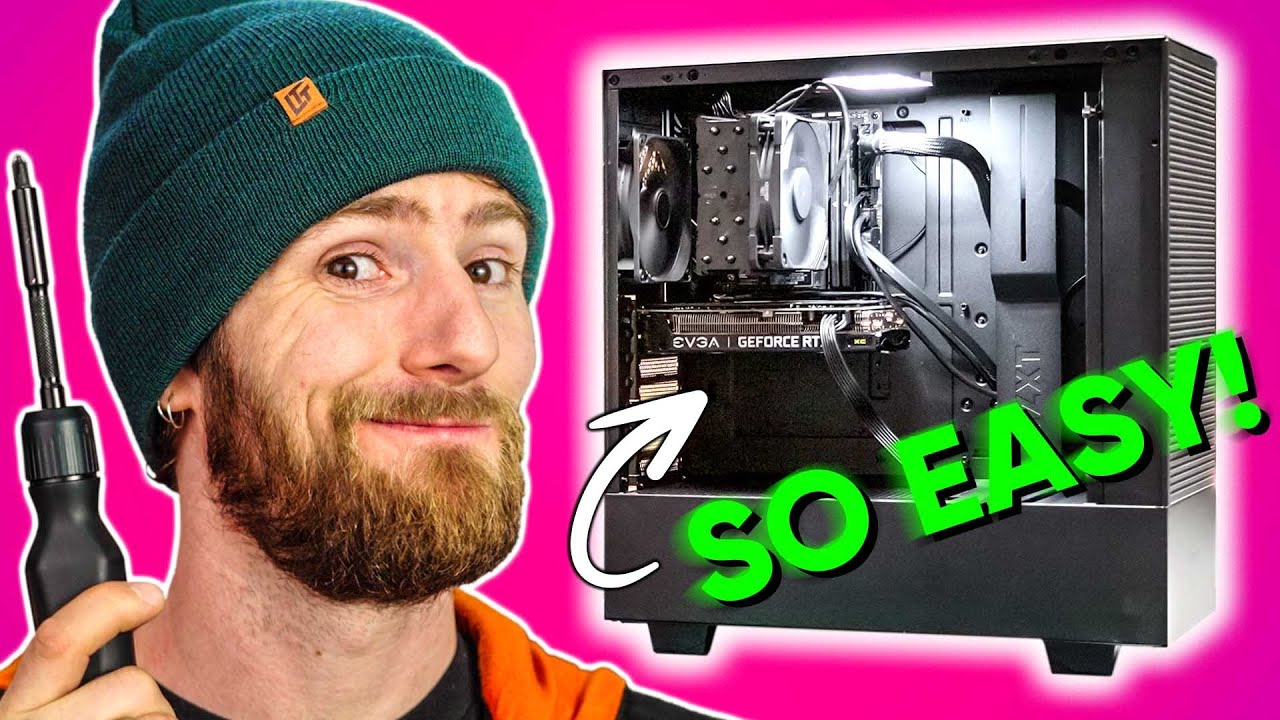
The EASIEST Gaming PC Build Ever!
0 up · 0 down · 0 ratings
Promos
New Customers Get a Free 128gb Flash Drive & 128gb MicroSD Card at Micro Center: micro.center Start building your parts list: micro.center Learn more about Micro Center’s Custom Build Services: micro.center Parts used: Intel Core i5-12600K: micro.center ASUS Motherboards: micro.center Samsung 980 Pro SSD: micro.center Noctua NH-U12S: micro.center Corsair Vengeance 32GB (2 x 16GB) DDR5: micro.center NZXT H510: micro.center EVGA Power Supplies: micro.center Building a PC can still be a scary experience, so we've put together the most foolproof build we could think of without using unconventional parts, and it's all thanks to our good friends at Micro Center. Discuss on the forum: linustechtips.com ► GET MERCH: lttstore.com ► AFFILIATES, SPONSORS & REFERRALS: lmg.gg ► PODCAST GEAR: lmg.gg ► SUPPORT US ON FLOATPLANE: floatplane.com FOLLOW US --------------------------------------------------- Twitter: twitter.com Facebook: @LinusTech Instagram: @linustech TikTok: @linustech Twitch: twitch.tv MUSIC CREDIT --------------------------------------------------- Intro: Laszlo - Supernova Video Link: youtube.com iTunes Download Link: itunes.apple.com Artist Link: soundcloud.com Outro: Approaching Nirvana - Sugar High Video Link: youtube.com Listen on Spotify: spoti.fi Artist Link: youtube.com Intro animation by MBarek Abdelwassaa @mbarek_abdel Monitor And Keyboard by vadimmihalkevich / CC BY 4.0 geni.us Mechanical RGB Keyboard by BigBrotherECE / CC BY 4.0 geni.us Mouse Gamer free Model By Oscar Creativo / CC BY 4.0 geni.us CHAPTERS --------------------------------------------------- 0:00 Building a PC can be hard if it's your first time 0:48 Lol wtf, why ITX? 1:20 CPU Install 2:05 SSD Time 3:39 CPU Cooler 5:26 RAM 6:17 CPU Cooler Fans 6:52 So much space! For Activities! 7:20 PSU Install + Cable Management 10:29 GPU? GPU! 11:33 aaaaand we're done!
The video presents a methodical approach to building a gaming PC that aims to be foolproof for first time builders, with Micro Center sponsorship framing the process. The host emphasizes that even with many guides, assembling a PC can still feel intimidating for newcomers, and the chosen parts are selected to minimize risk of error while fitting a compact ITX footprint inside a larger case. He starts the build by installing an ITX motherboard, selecting the ASUS ROG Strix B660-I and Intel Core i5-12600K, highlighting the value and efficiency cores for balanced gaming and multi-threaded workloads. The narrative then covers essential components including the Samsung 980 PRO SSD for fast PCIe Gen 4 storage, Corsair Vengeance DDR5 memory, and Noctua NH-U12S cooler for reliable cooling. Throughout, the presenter discusses practical steps such as mounting the SSD, aligning RAM, and securing the motherboard, alongside tips about optional armor and mounting hardware that make the build easier, especially for first-timers. The segment concludes with a full assembly overview, cable management strategies, and a practical claim that a complete PC can be built in about 10 to 15 minutes when following the guide, followed by a quick note on testing with Doom Eternal at high frame rates to demonstrate performance. The value proposition is reinforced by Micro Center’s in-store support, stock availability, and a bundled insulation of easy-to-find parts that support a smooth build process for beginners while delivering strong gaming performance. In the second act, the video shifts to assembly specifics inside a compact NZXT H510 case housing an ITX motherboard in an ATX chassis, a bold move described as the Jake Tivy special. The host explains the steps for mounting the RAM, wiring the two case fans with a Y-splitter, and configuring CPU and chassis fan headers for optimal cooling and quiet operation. He walks through power supply selection with a focus on modularity, choosing an EVGA 700 GD 80+ Gold PSU, and demonstrates the minimal but necessary set of cables required to power the system, stressing cable management to keep everything tidy inside the smaller case. The GPU installation also gets thorough treatment, with guidance on removing PCIe slot covers and correctly seating the RTX 3060 XC in the limited space, including a tip to lay the case down for easier access. The host emphasizes that the trick to this build is careful planning and following the foolproof steps, and he reiterates Micro Center’s role in providing stock and professional support if needed. The conclusion of this segment points to a successful hardware integration, a proof-of-concept that such a compact build can deliver high gaming performance while remaining approachable for beginners and non-experts. The final portion of the video focuses on testing, software readiness, and consumer takeaways. After windows installation and driver setup, the host showcases Doom Eternal running at 1440p with strong frame rates as a demonstration of capability in a modern AAA title. He draws attention to the improving GPU market conditions, noting that prices are coming down and making a build like this feasible for many buyers. The closing moments reiterate Micro Center’s role in facilitating the build, from in-store assistance to online ordering and fast pickup, and promote a special offer for new customers including free USB drives and microSD cards. The video ends on a positive note about the hobby of PC building, encouraging viewers to either assemble the rig themselves or rely on Micro Center’s services for a foolproof experience, while highlighting the community and resources available for new builders.
Topics · technology · computers · pc_building · hardware