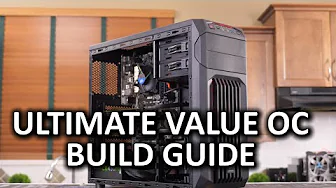
Ultimate Value Gaming Build Guide
0 up · 0 down · 0 ratings
Channels and socials
Welcome to our value gaming build guide! What kind of gaming experience can you expect from a budget build these days? This video build guide was brought to you by Intel! System Components List: linustechtips.com Join our community forum: bit.ly twitter.com @LinusTech Credits: Host - Linus Sebastian Camera - Brandon "B Roll" Lee Editing - Edzel Yago Benchmarking - Luke Lafreniere Music: Title:Reboot Artist: Approaching Nirvana & BigGiantCircles iTunes: bit.ly Channel: youtube.com Title: Virtual Is Where We Live Artist: Approaching Nirvana feat. TryHardNinja iTunes: bit.ly Channel: youtube.com Title: Nitro Fun - Safe & Sound (feat. Danyka Nadeau) Label Channel: youtube.com
The Ultimate Value Gaming Build Guide walks through assembling a budget friendly gaming PC centered on value, upgradability, and sensible component choices rather than pushing maximum frame rates. The host emphasizes that this is about getting good performance for a reasonable price, with practical tradeoffs such as staying away from extreme cooling or luxury parts. Early in the video the focus is on a safe, static-free workspace and basic assembly steps, including checking that the motherboard posts and outputs to a display before committing to a full build. The CPU choice, a budget Pantium G3258, is explored as a compromise option that can overclock for surprisingly solid performance in many games, while allowing for easy upgrades to Core i3 or i5 later if desired. The host also demonstrates how to mount the CPU, apply and verify cooling, install RAM, and secure a value-oriented case, motherboard, and power supply, highlighting practical tips like reusing a stock cooler and evaluating the tradeoffs of pre-applied thermal paste. As the build progresses, the guide covers essential motherboard features and why a Z97 class board was chosen for overclocking capability, balanced with cost and expandability. Cable management is acknowledged as a challenge, especially in budget cases, with advice on routing power and data cables and using the case’s rear panel space to accommodate wiring. Storage is addressed with a focus on the benefit of an SSD for snappiness, while still noting an HDD can be added later; the video uses a 120GB Intel 530 series SSD as a representative option. The decision process for a graphics card centers on two methods for evaluating value: either FPS-per-dollar from current roundups or maximizing budget left for the GPU after essential components, which leads to selecting a Radeon R7 260X due to a favorable deal, with the caveat that prices vary by region and time. The conclusion wraps up with practical tips about peripherals, basic display choices, and a call to enjoy the finished build, while acknowledging Intel sponsorship and community contributions. Overall, the video demonstrates that a capable, budget-conscious gaming PC can be built without expensive parts, while still offering room for upgrades and future improvements. It blends hands-on assembly instructions with strategic purchase advice, including when to upgrade the motherboard, GPU, or cooling, and how to optimize BIOS settings for overclocking. Viewers are reminded that you can start playing modern titles at a reasonable quality level and later invest in higher-end parts as needed, making it a realistic roadmap for budget-minded gamers. The guide closes with thanks to sponsors, contributors, and viewers, inviting continued engagement and subscriptions for future updates on value builds.
Topics · pc gaming · budget builds · computer hardware · overclocking · intel platform · system-build-guide
Questions answered
- What is the main goal of the Ultimate Value Gaming Build Guide?
- To show how to build a capable gaming PC on a budget with good value and upgradability, rather than chasing extreme performance.
- Why is the Pantium G3258 chosen in this build?
- Because it offers a low-cost, overclockable CPU that can perform surprisingly well in many titles, with the option to upgrade later if desired.