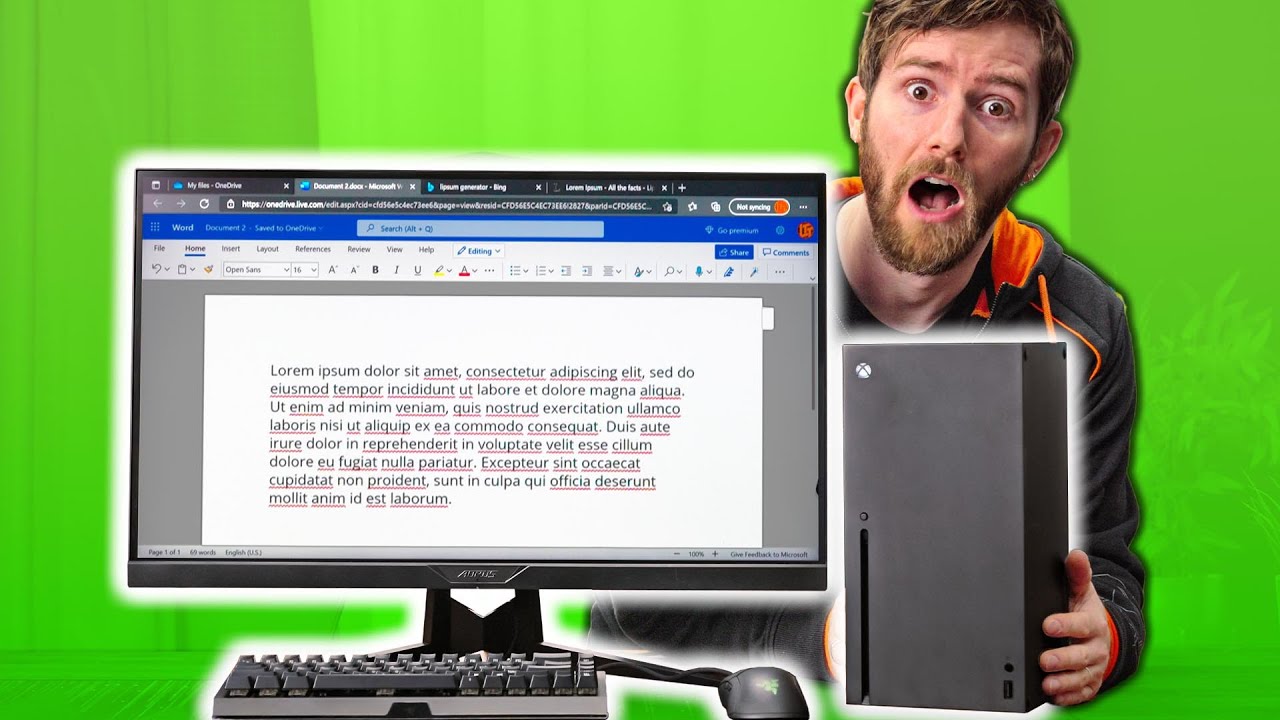
Ok, NOW Xbox is a PC - Chromium Edge on console!
0 up · 0 down · 0 ratings
Promos
Go to privacy.com to get $5 off your first purchase! The Xbox just got full blown Chromium based Edge, so does that basically just make the Xbox a PC? Buy Logitech K400 Plus: geni.us Buy Xbox Series X: geni.us Buy Xbox Series Controller: geni.us Purchases made through some store links may provide some compensation to Linus Media Group. Discuss on the forum: linustechtips.com ► GET MERCH: lttstore.com ► AFFILIATES, SPONSORS & REFERRALS: lmg.gg ► PODCAST GEAR: lmg.gg ► SUPPORT US ON FLOATPLANE: floatplane.com FOLLOW US ELSEWHERE --------------------------------------------------- Twitter: twitter.com Facebook: @LinusTech Instagram: @linustech TikTok: @linustech Twitch: twitch.tv MUSIC CREDIT --------------------------------------------------- Intro: Laszlo - Supernova Video Link: youtube.com iTunes Download Link: itunes.apple.com Artist Link: soundcloud.com Outro: Approaching Nirvana - Sugar High Video Link: youtube.com Listen on Spotify: spoti.fi Artist Link: youtube.com Intro animation by MBarek Abdelwassaa @mbarek_abdel Monitor And Keyboard by vadimmihalkevich / CC BY 4.0 geni.us Mechanical RGB Keyboard by BigBrotherECE / CC BY 4.0 geni.us Mouse Gamer free Model By Oscar Creativo / CC BY 4.0 geni.us CHAPTERS --------------------------------------------------- 0:00 - Wow 0:45 - Honey 0:57 - LTT Intro 1:05 - YouTube 2:37 - Text Twist 3:04 - Frog Fractions 3:11 - Runescape 3:32 - Google Docs & Word 4:33 - Discord 6:26 - Retro Emulators 9:35 - The Internet Archive is Awesome 10:32 - Stadia 11:05 - GeForce Now & Conclusion 12:34 - Privacy 13:22 - Outro
Ok, NOW Xbox is a PC - Chromium Edge on console explores a milestone in console software by highlighting how a modern Xbox can run a Chromium-based Edge browser with full mouse and keyboard support, hardware acceleration, and a wider range of browser-based capabilities. The video walks through practical demonstrations of using YouTube in a browser, right-clicking to open new tabs, and navigating web apps as if on a PC, while also acknowledging the limits of the current ecosystem. Early on, the hosts compare the experience to Chrome OS, noting that the browser is the primary interface for many tasks and that the OS would be less relevant if apps live inside the browser. The narrative emphasizes excitement about potential, but also tempered expectations about stability, extensions, and file access, making clear that this is a transitional, evolving feature rather than a finished dual-purpose PC replacement. Overall, the segment frames Microsoft Edge on Xbox as a bold step toward a more versatile console, with room to grow through future updates and policy changes that could unlock more PC-like functionality. The second portion delves into more hands-on testing across diverse tasks, from streaming services and documents to online games and emulators. They show responsive mouse input and smooth 4K video playback, with caveats such as occasional trackpad quirks and occasional crashes when running IO-heavy or Java-dependent content. The team experiments with Google Docs, Word, and Discord, highlighting both the convenience of browser-native workflows and the friction of limited features like missing browser extensions and variable audio input in voice chat. Console users encounter a mix of promises and performances, including a working Discord experience through a third-party client and the challenge of keeping apps alive in the background. The exploration underscores the core insight: browser-based experiences can feel surprisingly PC-like on Xbox, but the experience remains imperfect and highly dependent on optimization, app support, and firmware updates. In the final stretch, they assess practical implications and future potential, contrasting the current state with broader ecosystems such as Stadia and GeForce Now. The discussion centers on usability, latency, and the possibility of future file access, extension support, and more robust input options to further blur the line between console and PC. The hosts acknowledge that this is not a drop-in replacement for a dedicated PC or a fully open browser on a desktop, but they see a trajectory where Edge on Xbox becomes a legitimate productivity and light-computing environment. They close with a measured sense of optimism, recognizing the momentum while calling for patience as Microsoft iterates on sandboxing, performance, and user experience. The video leaves viewers with a clear takeaway: the Xbox is inching toward PC-like capabilities, but there is still significant room for refinement and expansion before it truly redefines the device’s identity.
Topics · technology · gaming · hardware · web-browsers
Questions answered
- Can the Xbox run full browser-based productivity apps like Google Docs and Word without a traditional PC OS?
- Yes, the Chromium-based Edge on Xbox can access browser-based productivity apps such as Google Docs and Word, showing PC-like functionality within the browser environment.
- What are the main limitations of using Edge on Xbox as a PC substitute?
- Main limitations include incomplete extension support, some input or audio issues in apps like Discord, occasional crashes with certain content, and the general caveat that it is not yet a fully open or file-access friendly PC substitute.
- Is this feature available on all Xbox models and firmware versions?
- The video demonstrates the feature on the latest update at the time, but availability and stability can vary by model and software version, and may require future updates for broader support.