My New Gaming Monitor Goes HARD - 5th Gen QD-OLED
0 up · 0 down · 0 ratings
Description
Thanks to MSI for sponsoring this video!
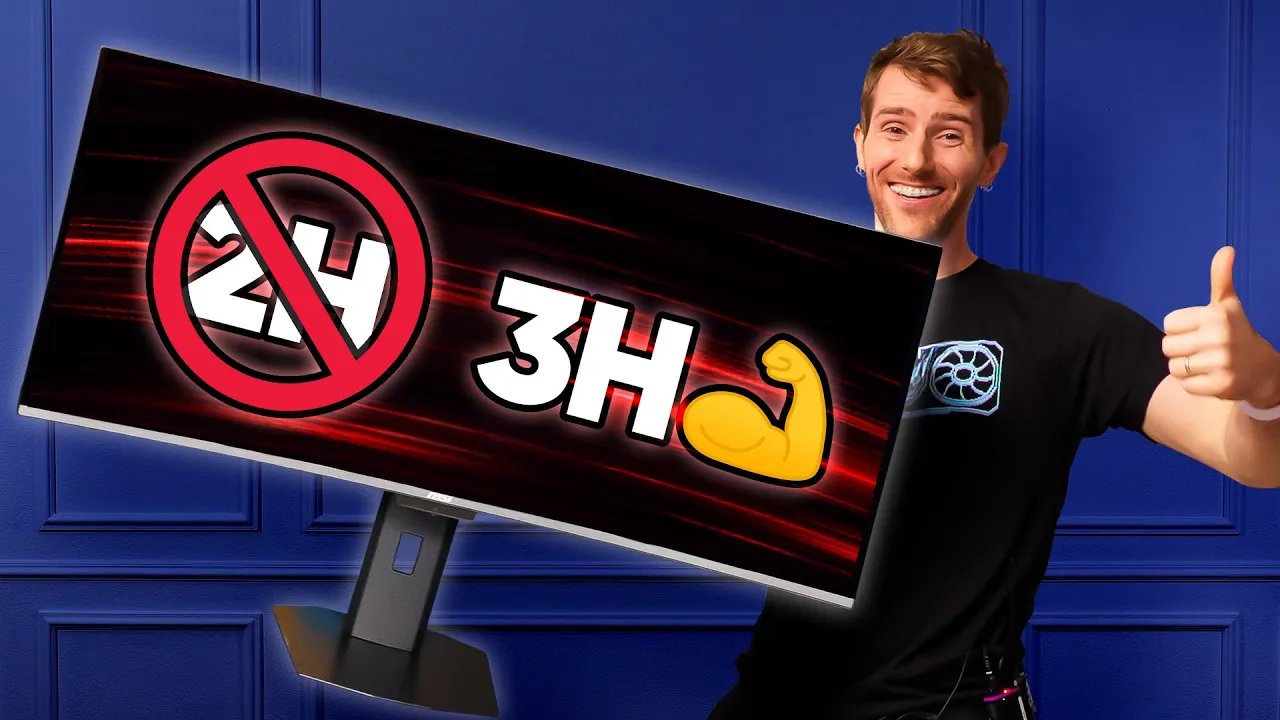
Check out their MPG 341CQR QD-OLED X36 at msi.gm today! Disclaimer: The Pureblack + 3H Hardness has been renamed to DarkArmor Film, and the HDR Curve customization has been renamed to Uniform Luminance since the filming of this video. MSI sent over their brand new MPG 341CQR QD-OLED X36 for us to
check out and truly experience the hype around 5th gen QD-OLED panels. It's brighter, more resistant to scratching, and has an RGB Stripe sub-pixel layout. Discuss on the forum: linustechtips.com
Promos
Check out our Channel Partners: Secretlab - Get great chairs and desks at: lmg.gg PIA - Get the VPN of our choice: piavpn.com dbrand - Buy a "Circuit" series skin for your device: dbrand.com ► GET OUR MERCH: lttstore.com ► GET EXCLUSIVE CONTENT ON FLOATPLANE: lmg.gg ► SPONSORS, AFFILIATES, AND PARTNERS: lmg.gg Purchases made through some store links may provide some compensation to Linus Media Group. Affiliate links powered in part by affilimate.com Linus Sebastian is an investor in Framework Computer, Inc and HexOS by Eshtek. CHAPTERSs --------------------------------------------------- 0:00 Intro 1:18 Unboxing 2:50 Checking out the monitor 3:27 No more kitty scratches 4:20 What is RGB Stripe? 4:56 Setting up the monitor 6:54 Testing it out 11:38 Playin' some Halo 12:49 Outro
The video opens with Linus explaining the hype and the problems that historically came with Quantum Dot OLED monitors, including magenta bloom under bright lights and the fragility of the panel. He introduces MSI’s fifth generation QD-OLED panel and highlights key improvements such as color layer optimizations, the new RGB Stripe sub-pixel layout, and a significant jump in panel hardness from H2 to H3. The unboxing and initial impressions show the large, heavy ultrawide form factor, a robust set of inputs including dual HDMI, DisplayPort, and a USB-C hub, and the promise of a 360 Hz refresh rate. The hosts discuss how these upgrades translate to everyday use, with testing to come on brightness, black levels in bright environments, and handling of the magenta hue, while also noting that early pre-production units may have some quirks. By the end of the first major segment, they set expectations for real-world performance, mentioning the new sub-pixel layout, the improved clarity for text, and the potential impact on gaming and productivity. In the middle portion, the focus shifts to deeper feature exploration and practical testing. They explain RGB Stripe’s role in matching Windows rendering expectations, discuss the panel’s hardness through a playful scratch test, and showcase how the 3H to 4H (and related claims) hold up under pressure. The demonstration moves to setup, cable management, and the value of MSI’s design touches like the magnetic cable management system. There is also a thorough look at the monitor’s OS, AI features, and image controls, including HDR adjustments, KVM, aspect ratio controls, and burn-in protection features. The duo collaborates on gaming tests across Halo and Final Fantasy contexts, comparing ultrawide immersion to traditional setups, and they underline how the panel’s 360 Hz capability remains a core advantage without sacrificing image fidelity. The closing segment covers HDR, motion, and text rendering, with a practical verdict on use cases. They confirm that HDR is compelling once enabled in Windows and that the text clarity benefits of RGB Stripe are noticeable, particularly for small fonts and sharp UI. The hosts reflect on the ifs and mights of upgrading from last-gen QD-OLED and acknowledge that incremental improvements come with cost and future price drops. The video ends with a balanced takeaway: the MSI MPG 341CQR QD-OLED X36 delivers meaningful gains in brightness, durability, and clarity, making ultrawide gaming and productivity more accessible, while also acknowledging the sponsorship context and the ongoing evolution of OLED panel technology. Overall, the content positions fifth-gen QD-OLED as a forward-looking option for enthusiasts who want both performance and practical durability.
Topics · technology · monitoring · gaming · hardware · display-technology · oled · ultrawide · pcs-peripherals
Questions answered
- What improvements does the fifth generation QD-OLED bring to color accuracy and brightness?
- The fifth generation adds color layer optimizations, RGB Stripe sub-pixel layout, and increased hardness to reduce magenta bloom and scratches, while maintaining strong brightness and clarity.
- Do you need a high-end connection like DP 2.1 to run 360 Hz on this monitor?
- Yes, to drive the 360 Hz you would typically need a capable system with DP 2.1, and an appropriate PC setup to handle the bandwidth.