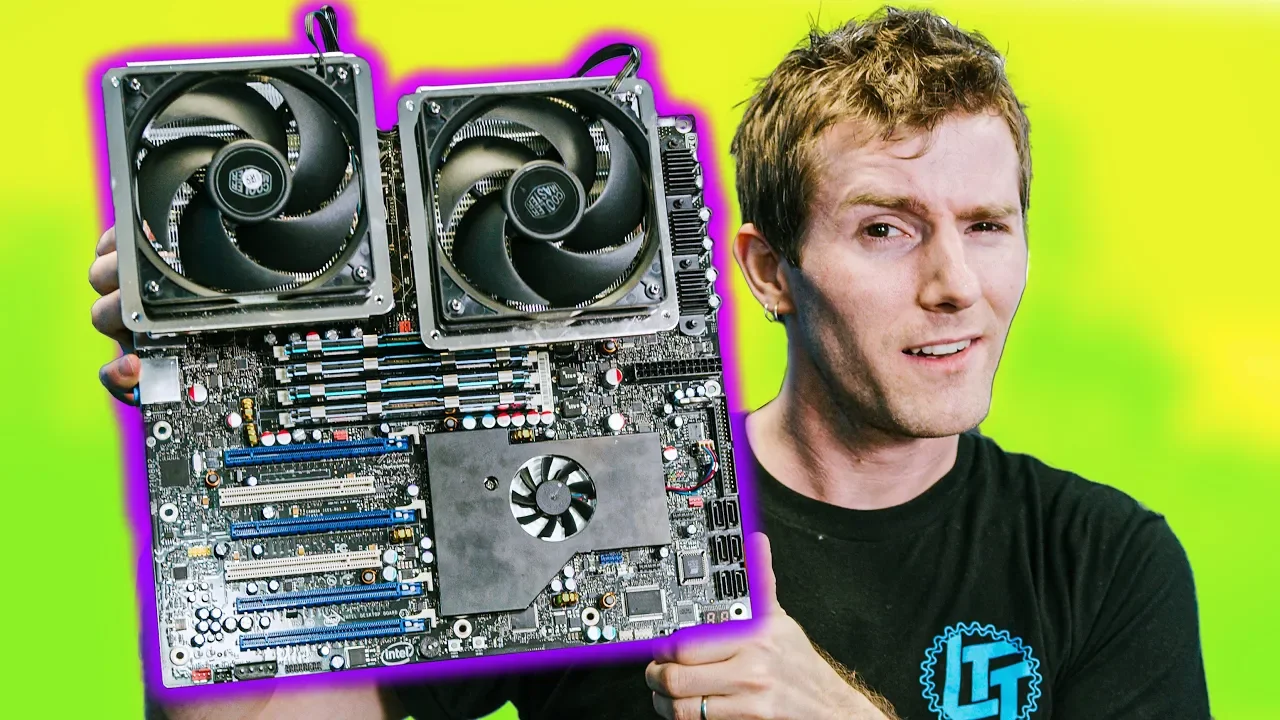
How bad is this $5000 PC from 10 years ago?
0 up · 0 down · 0 ratings
Promos
Optoma's NuForce BE Live2 is on sales at $29 on Amazon at amzn.to Use code LINUS and get 25% off GlassWire at lmg.gg 10 years ago, spending $5,000 on a PC brought you a pretty incredible experience.... but how has the last 10 years treated this EXTREME setup? Buy Intel workstation parts on Amazon: lmg.gg Discuss on the forum: linustechtips.com ► GET MERCH: lttstore.com ► AFFILIATES, SPONSORS & REFERRALS: lmg.gg ► PODCAST GEAR: lmg.gg ► SUPPORT US ON FLOATPLANE: floatplane.com FOLLOW US ELSEWHERE --------------------------------------------------- Twitter: twitter.com Facebook: @LinusTech Instagram: @linustech TikTok: @linustech Twitch: twitch.tv MUSIC CREDIT --------------------------------------------------- Intro: Laszlo - Supernova Video Link: youtube.com iTunes Download Link: itunes.apple.com Artist Link: soundcloud.com Outro: Approaching Nirvana - Sugar High Video Link: youtube.com Listen on Spotify: spoti.fi Artist Link: youtube.com
The video opens with Linus discussing a rare piece of computing history, an Intel Xtreme Series dual Xeon motherboard and the mindset behind spending $5,000 on a high-end PC a decade ago. He notes the unusual eatx form factor, the dual LGA 771 sockets, and the intention to create an eight-core platform long before mainstream consumer CPUs supported such capabilities. The host highlights the hardware choices that defined the system, including the 5000-series chipset and fully buffered DIMMs, explaining how early memory architectures required buffers to handle higher memory bandwidth. He also sets expectations by addressing the era’s price/performance criticisms and previews the segment where he will test the machine with modern workloads to see what remains relevant. The segment then transitions into show-and-tell, revealing the box’s condition, accessories, and the specific features that helped this build stand out, such as onboard power switches and the capability to support multiple GPUs through creative use of Nvidia PCIe switches. Finally, Linus teases the performance tests to come, aiming to answer whether a 10-year-old extreme workstation can still deliver practical usability for today’s software and games, while also plugging a sponsor and encouraging audience engagement for Part Two. In the first major testing block, Linus boots the system and demonstrates basic functionality with a modern SSD, while detailing the board’s physical layout and how the two Xeon processors connect via a 1600 MHz front-side bus to the chipset. He explains how the memory subsystem uses fully buffered DIMMs with an advanced memory buffer on each module to bridge the memory controller, a design that differentiates this platform from later memory architectures that moved the controller onto the CPU. The discussion covers the historical memory trade-offs, including the latency and write penalties associated with buffering and why Intel pursued this path at the time. The video then moves to practical considerations of installing cooling solutions, noting that only older air cooling options were compatible and that mounting can be awkward on such a large board. Linus also points out the design’s preservation of legacy ports and the early USB 2 and esata interfaces, framing how far today’s systems have evolved. As the tests proceed, the host demonstrates the unusual multi-GPU arrangement created by Nvidia switches that split 16 lanes from the southbridge into two PCIe x16 slots, enabling SLI-like configurations on a board that technically did not natively support it. He shows how this architecture allowed the system to accommodate high-end GPUs and still boot into modern Windows 10 without driver drama, a notable achievement given the aging hardware. With the system running, Linus measures network throughput and storage performance, noting gains and bottlenecks in a setup where PCIe Gen 1 lanes cap bandwidth and SATA drives limit expansion. The discussion then shifts to real-world usability: HD and 4K video playback, web browsing, and productivity tasks reveal a surprisingly responsive experience for a machine of its vintage, though power draw and memory constraints remind viewers of the compromises of the era. He concludes this section by acknowledging the inevitable limitations that come with late-2000s hardware, particularly for modern multitasking and content creation workloads. In the mid-to-late testing phase, Linus explores productivity and creative workloads, trying applications such as Photoshop and Premiere to illustrate how the system handles real-world tasks. The results show significant strain when pushing CPU-bound workloads and memory-intensive tasks, with Photoshop reaching high CPU utilization and audible fan ramping, signaling thermal and bandwidth limits. He experiments with memory capacity by swapping in larger memory modules to see if more RAM can alleviate bottlenecks, while maintaining the same motherboard and CPU pairing. The video then pivots to gaming, attempting titles at various resolutions to gauge whether the system remains viable for modern gameplay. While some games run acceptably at lower resolutions, others struggle due to the GPU bottleneck and insufficient memory, underscoring how much the aging platform is outpaced by contemporary hardware. The host ends this installment by inviting viewer input for a potential Part Two, and by promoting sponsor products and merch, framing the project as a collaborative, evolving exploration of retro hardware in a modern context.
Topics · technology · computing · hardware · history of computing · gaming
Questions answered
- What made the original Skulltrail platform special for its time?
- It combined dual LGA 771 Xeon CPUs with a large eatx motherboard to create an eight-core platform years ahead of consumer counterparts.
- How did the video enable four PCIe x16 slots on a board that didn’t natively support it?
- Two Nvidia PCI Express switches were used to split each 16-lane connection into two slots, effectively expanding GPU connectivity without native support.
- What was a major memory design feature of the era, and how did it differ from modern memory controllers?
- Fully buffered DIMMs with an advanced memory buffer on each module buffered read and write requests, whereas modern systems place memory controllers on the CPU and use direct DIMMs.
- Did the system perform well for 4K video playback and productivity tasks?
- 4K playback was smooth, but productivity tasks like Photoshop and Premiere showed heavy CPU and memory bottlenecks, highlighting aging hardware limitations.
- What is the takeaway about the value of spending $5000 ten years ago?
- The system delivered impressive capability for its time, and some modern tasks can still run, but it is outpaced by today’s hardware for most demanding workloads.