HD Tutorial: iTunes Visualizer
0 up · 0 down · 0 ratings
Channels and socials
***WATCH IN HD*** A lot of you have asked or wondered how to get the iTunes Visualizer just like something out of Windows Media Player. I apologize that it's framey, but it's not nearly that framed or laggy in real life! Try out the Classic visualizer or the standard visualizer and tell me what you think! For the special few who watch the entire video or read the whole description (like me) - you can make me an outro in 1280x720, and if I use it, you'll get a shoutout video from me, and I'll have your link on my channel for at least a week. P.S. - No Animoto Good luck! Enjoy - SUBSCRIBE
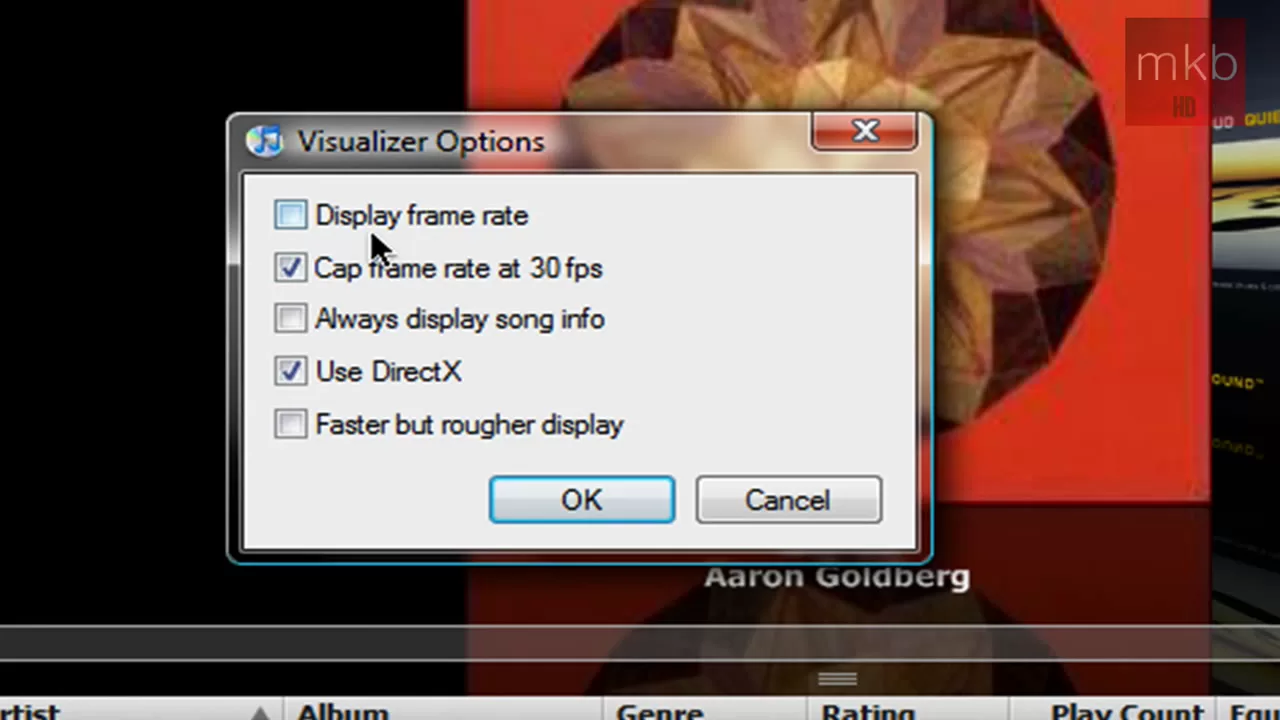
This HD tutorial demonstrates how to enable and view the iTunes Visualizer in both the iTunes interface and during full-screen playback. The presenter walks through selecting the visualizer from the iTunes menu, choosing between the iTunes Visualizer and the Classic Visualizer, and adjusting practical settings such as frame rate display, directX usage, and speed of the visuals. After enabling the visualizer, the video shows how the rings emanate from the Apple logo in sync with audio, and it illustrates how to toggle the visualizer on and off using keyboard shortcuts. The guide emphasizes maximizing the window to improve visual clarity, discusses potential frame rate tradeoffs when recording, and concludes with tips for using the visualizer for parties or casual demonstrations. Viewers are invited to try the visualizer with their own music and to share feedback on which visuals they prefer, while the host teases a possible shoutout if viewers contribute an outro video. Overall, the video serves as a practical, step-by-step reference for reviving a retro multimedia feature and recreating a Windows Media Player–style visualization experience within iTunes, suitable for quick setup and experimentation.
Topics · tutorial · technology · media-visualization · software · how-to
Questions answered
- What visualizer options does the tutorial demonstrate in iTunes, and how do you switch between them?
- The tutorial shows two options: the iTunes Visualizer and the Classic Visualizer. You switch by going to the iTunes View menu, selecting Visualizer, and choosing between Classic Visualizer or the standard iTunes Visualizer.
- What settings are adjustable in the Classic Visualizer, and what effect do they have?
- In the Classic Visualizer, you can cap or uncap the frame rate, choose whether to always display song info, and decide if you want to use DirectX for rendering. These settings affect performance and how the visualization reacts to the music.
- What practical tips does the video offer for using the iTunes Visualizer in real life?
- The video suggests maximizing the window for better visibility, using the visualization to play music at parties or in a disco setting, and experimenting with different visualizer types to see which looks best with your track.