Image File Formats - JPEG, GIF, PNG
0 up · 0 down · 0 ratings
Promos
What's the difference between a JPEG, PNG, GIF, etc...? TunnelBear message: TunnelBear is the easy-to-use VPN app for mobile and desktop. Visit tunnelbear.com to try it free and save 10% when you sign up for unlimited TunnelBear data. Techquickie Merch Store: designbyhumans.com Techquickie Movie Poster: shop.crowdmade.com Leave a comment with your requests for future episodes, or tweet them here: twitter.com Follow: twitter.com Join the community: linustechtips.com
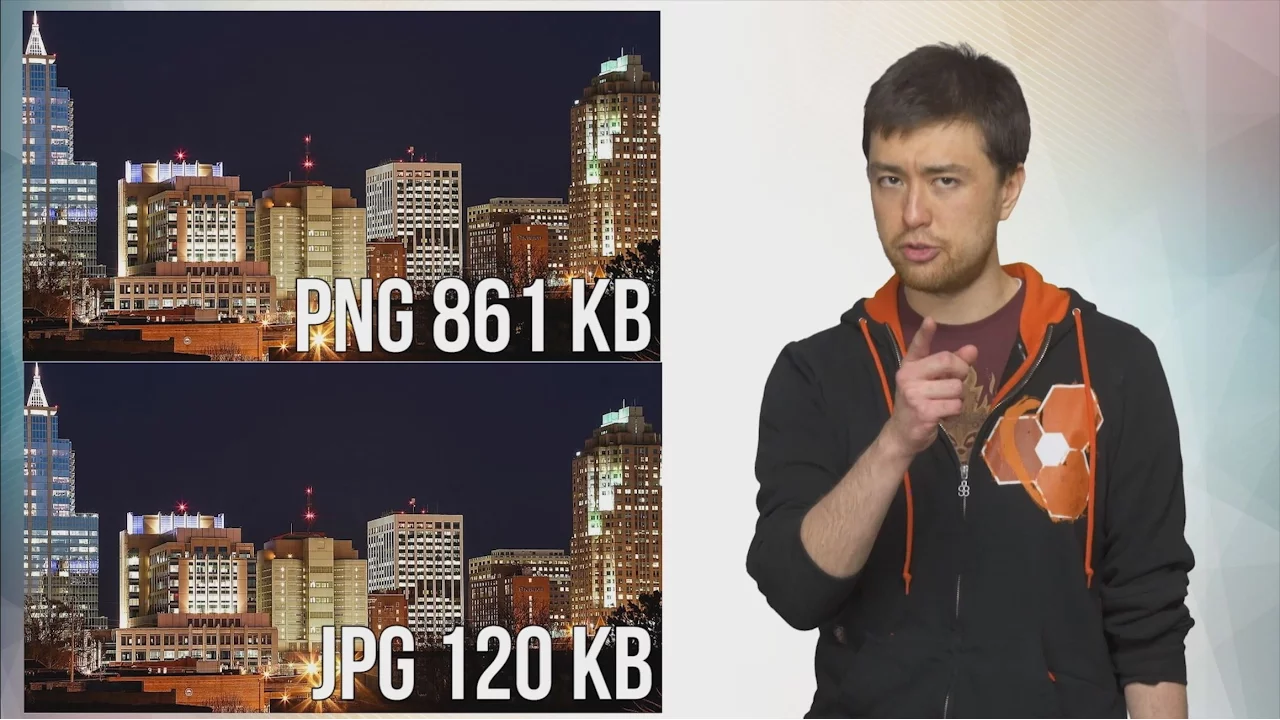
The video provides a practical tour through the main image file formats JPEG, GIF, PNG, TIFF, SVG, RAW, and a few others, explaining what each format is best used for and why it exists. It begins by clarifying common save-time decisions when finishing a digital artwork, highlighting that JPEG is a lossy format optimized for photography and that compression reduces file size by discarding information, often with minimal perceived quality loss. The presenter emphasizes that JPEG struggles with sharp edges and non-photographic content like diagrams, which is where alternative formats such as GIF and PNG come in. GIF is introduced as a lossless, animated option limited to 256 colors, ideal for simple graphics but not detailed imagery. PNG is then presented as a versatile, widely supported lossless format that supports transparency, balancing larger file sizes with higher fidelity and flexible web use. The segment continues with TIFF for professional photography where color spaces and compression options matter, and SVG for scalable vector graphics where resolution independence is key. Finally, RAW files are explained as digital negatives that contain nearly all original sensor data, requiring specialized software to process but offering extensive editing latitude. The video ties these contrasts together by stressing that the right format depends on image type, quality requirements, and file size considerations, and it hints at future episodes covering more formats for audio and video to broaden viewers’ toolkit. As the narrative moves from general concepts to specific format characteristics, the video illustrates how different images respond to compression artifacts, transparency support, and scalability. It uses concrete examples such as logos typically favoring PNG or SVG over JPEG, and photographs benefiting from JPEG’s compactness or TIFF’s color-space flexibility in professional workflows. The explanation of 8x8 block processing in JPEG helps viewers understand why some image content looks smooth while others exhibit artifacts, and the contrasts with GIF’s animation capability reveal the trade-offs between color depth and motion. The closing sections recapitulate practical guidance for selecting formats based on image purpose, followed by audience-oriented cues inviting questions and future topic requests. Overall, the video equips designers, photographers, and developers with a clearer mental map of when to use JPEG, GIF, PNG, TIFF, SVG, and RAW, reinforcing that the “best” format is context dependent and often a balance between quality and size.
Topics · technology · digital media · photography
Questions answered
- What is the main difference between JPEG and PNG in terms of compression?
- JPEG uses lossy compression that discards some image data to reduce file size, while PNG uses lossless compression that preserves all image data but generally results in larger files.
- When should one choose SVG over PNG or JPEG?
- SVG should be used for scalable vector graphics where resizing without quality loss is important, such as logos and icons, whereas PNG or JPEG are better for raster images and photographic content.