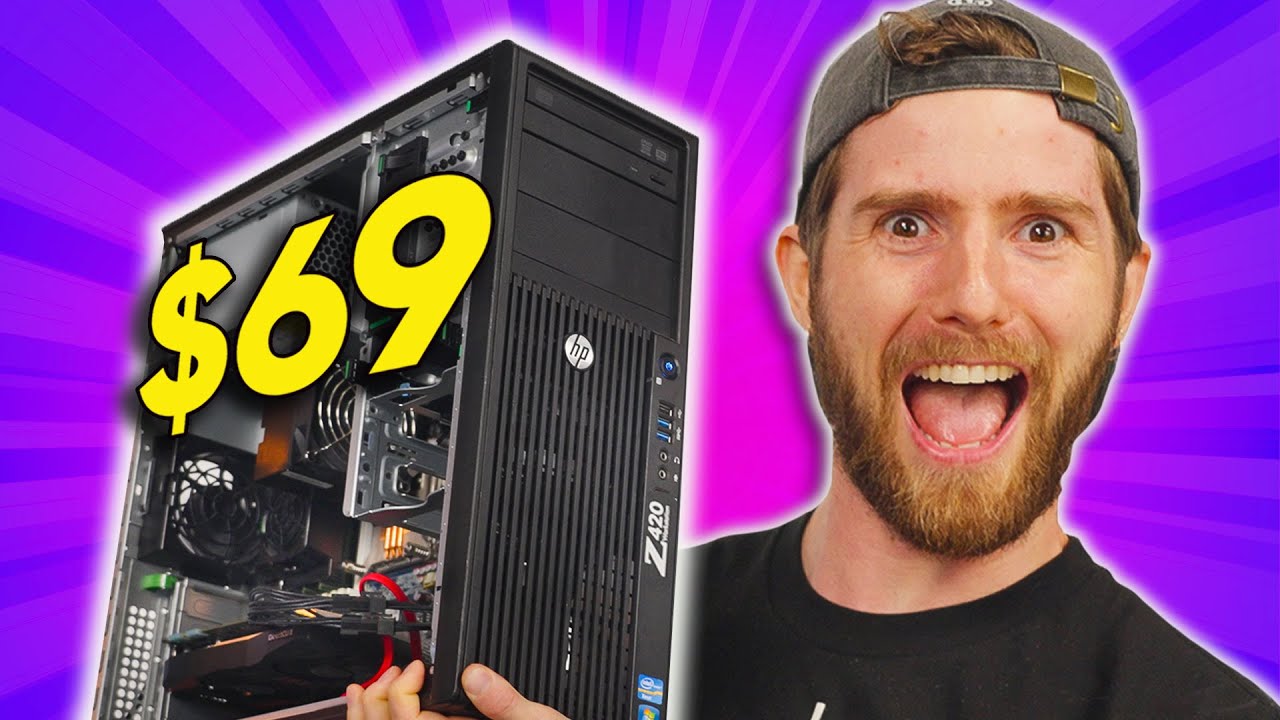
This $69 Gaming PC is INCREDIBLE
0 up · 0 down · 0 ratings
Description
A portion of this video was sponsored by IBM. Want to learn more?
Promos
Check out IBM’s YouTube channel or New Creators homepage: ibm.co Our last $69 gaming PC from 2018 was a pretty good machine for the budget. Will we be able to beat it in 2022? Watch to find out! Discuss on the forum: linustechtips.com Buy an AData SU635: geni.us Buy an AData SU760: geni.us Purchases made through some store links may provide some compensation to Linus Media Group. ► GET MERCH: lttstore.com ► SUPPORT US ON FLOATPLANE: floatplane.com ► AFFILIATES, SPONSORS & REFERRALS: lmg.gg ► PODCAST GEAR: lmg.gg FOLLOW US --------------------------------------------------- Twitter: twitter.com Facebook: @LinusTech Instagram: @linustech TikTok: @linustech Twitch: twitch.tv MUSIC CREDIT --------------------------------------------------- Intro: Laszlo - Supernova Video Link: youtube.com iTunes Download Link: itunes.apple.com Artist Link: soundcloud.com Outro: Approaching Nirvana - Sugar High Video Link: youtube.com Listen on Spotify: spoti.fi Artist Link: youtube.com Intro animation by MBarek Abdelwassaa @mbarek_abdel Monitor And Keyboard by vadimmihalkevich / CC BY 4.0 geni.us Mechanical RGB Keyboard by BigBrotherECE / CC BY 4.0 geni.us Mouse Gamer free Model By Oscar Creativo / CC BY 4.0 geni.us CHAPTERS --------------------------------------------------- 0:00 Intro 1:48 A new challenger - HP Z420 2:20 Looking inside the Z420 5:40 Availability and more options 7:55 A GPU and storage for $25? 9:40 GPU secured! 10:35 Storage for $2.07? 12:05 Step 1 Sell old GPU. Step 2 cha-ching! 12:54 Booting up the $69 PC 13:36 Benchmarking games 16:19 Conclusion 16:53 Outro
This video explores a remarkable thrifted build: a fully functional gaming PC assembled for a remarkably tight budget of $69, later adjusted to about $82 with current prices. The host discusses inflation and affordability, setting the stage for a challenging, creative hardware reconstruction. The centerpiece is the HP Z420 workstation from 2012, chosen for its strong baseline performance and upgrade potential despite its age. The team walks through the quirks of the case, from unusual power connector configurations to a mix of assorted cooling and RAM arrangements, highlighting both the nostalgia and the practical constraints of using older enterprise hardware. Along the way, they outline a thrifty upgrade plan, including sourcing a graphics card and a small SSD within the remaining budget, illustrating the social and logistical dance of building a capable machine on a shoestring. The video also includes a sponsored segment with IBM that reframes the narrative around new creators and the role of technology in business innovation, tying the budget project to broader themes of creativity and security. As they examine the Z420, the host notes its strict heritage in professional workloads, such as VFX rendering, and acknowledges that some modern features are missing. They point out features like PCI Express Gen 3 expansion slots and the ability to host multiple drives, while also lamenting the absence of modern conveniences like NVMe mounting or standard ATX power configurations. This context sets up the main challenge: upgrading the machine without blowing the budget. They consider the power supply, cooling design, and RAM configuration, explaining how each choice affects performance and reliability. The narrative stays grounded in practical thrift, suggesting that even ten-year-old hardware can be repurposed to handle current titles with careful tuning and lower resolutions. The tone remains optimistic, emphasizing that a modest system can still deliver surprisingly enjoyable gaming experiences. The upgrade phase centers on selecting compatible, affordable components, including a used GPU and a compact SSD, while keeping costs in check. They explore the feasibility of using a low-end Quadro class GPU for light gaming and CAD-like workloads, then pivot to a more gaming-focused component set within the budget, always balancing price versus performance. The team documents the process of acquiring a drive just enough to store games, and they narrate the plan to maximize the system’s potential with the CPU, RAM, and storage choices they can justify financially. After assembling the parts, they boot the system and run a suite of benchmarks to verify real-world gaming performance, noting frames per second at various settings and resolutions. The concluding section reflects on the broader takeaway: building a surprisingly capable PC on a tight budget is doable with patience, savvy shopping, and a willingness to accept trade-offs, while acknowledging that this rig won’t replace modern high-end builds but can still deliver enjoyable, competitive experiences. The video ends with a nod to ongoing upgrades, inviting viewers to revisit the project and subscribe for future budget challenges, reinforcing the channel's ethos of experimentation and thrifty innovation. They tease future upgrades and promise more ambitious tweaking in later episodes, leaving the door open for a potential
Topics · technology · computing · gaming · budgeting · hardware-upgrades
Questions answered
- What is the core hardware platform used for the $69 PC build
- The core platform is an HP Z420 workstation from 2012, featuring an Intel Xeon processor and expansion options typical of professional workstations, repurposed for gaming with budget upgrades.
- What were the major challenges in upgrading this budget PC
- Major challenges included sourcing affordable GPU and storage within a tiny budget, dealing with proprietary power connections, and balancing performance with cost while avoiding parts that would drastically inflate the total price.
- Did the build actually run modern games well
- The build could play current titles at modest settings, achieving playable frame rates at 1080p when possible, though it is not suited for ultra settings in recent AAA games.
- Was this build sponsored or influenced by a brand
- A portion of the video was sponsored by IBM, which is presented in the context of new creators applying technology in business, but the hardware build itself centers on thrift and upgrade decisions.