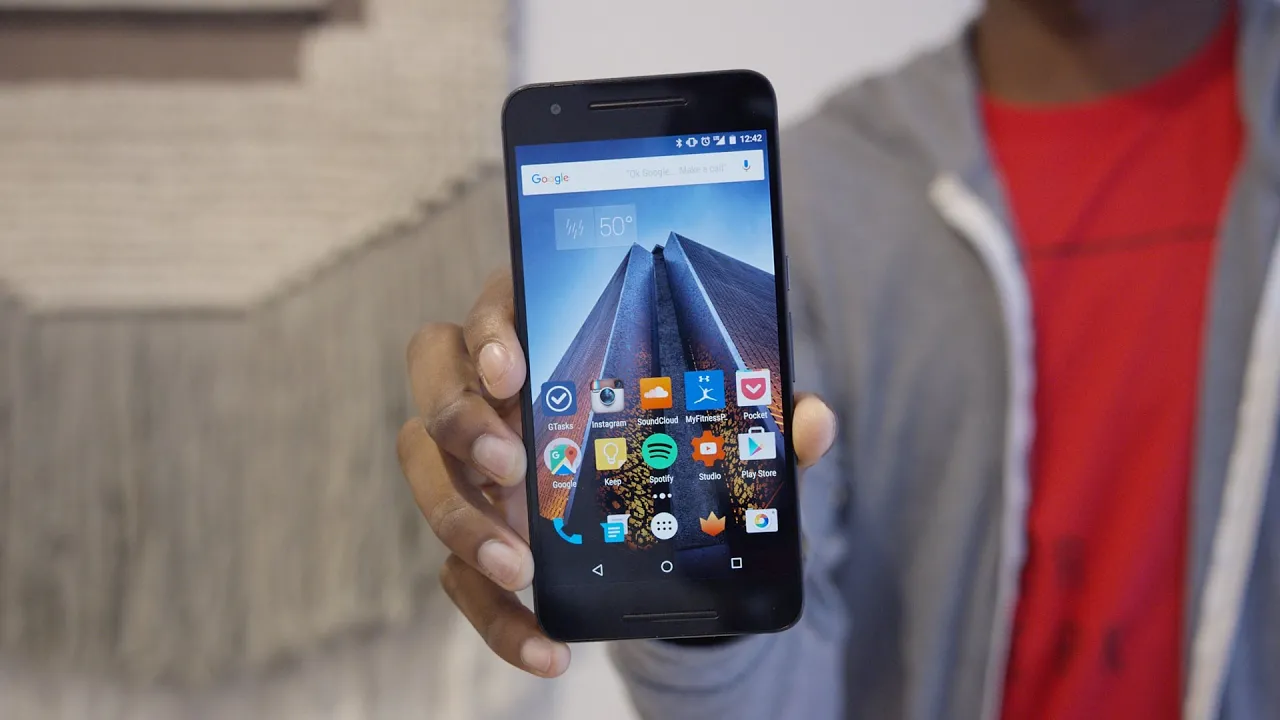
What's on my Smartphone 2016!
0 up · 0 down · 0 ratings
Promos
Tour of what's on my Nexus 6P! Wallpaper: i.imgur.com Carbon fiber skin: dbrand.com Snapchat: MKBHD Nexus 6P Review: youtu.be Buzz Widget: goo.gl Soundcloud: goo.gl Spotify: goo.gl GTasks: goo.gl Google Keep: goo.gl YouTube Studio: goo.gl MyFitnessPal: goo.gl Pocket: goo.gl Fenix for Twitter: goo.gl Today Calendar Widget: goo.gl Apple Music: goo.gl Yahoo Fantasy Sports: goo.gl Phillips Hue: goo.gl NBA GameTime: goo.gl Periscope: goo.gl Screener: goo.gl Video Gear I use: amzn.com Intro Track: Ongoing Thing by 20syl, Oddisee ~ twitter.com google.com @MarquesBrownlee @MKBHD @MKBHD
In this 2016 update, MKBHD walks through his current smartphone setup, noting how his two SIM cards are organized and how he alternates main devices when reviewing new phones. He explains that the Nexus 6P remains his primary device while a Nexbit Robin serves as a secondary line, used mainly for review work. The video showcases a clean, mostly stock Android launcher with a minimal aesthetic, emphasizing quick setup and easy transitions when upgrading to a new device. He highlights a top home screen widget for weather, and then catalogs the most-used apps, including music services, task managers, note apps, and essential tools for content creators like YouTube Studio. The walkthrough also covers the app drawer, some third-party utilities, and the rationale for keeping the layout straightforward to speed up device transitions. He concludes by inviting app suggestions from viewers and promising to test new apps and workflows on future devices, reinforcing the idea that this is an evolving, practical snapshot of his mobile habits.
Topics · technology · mobile · personal tech · gadgets