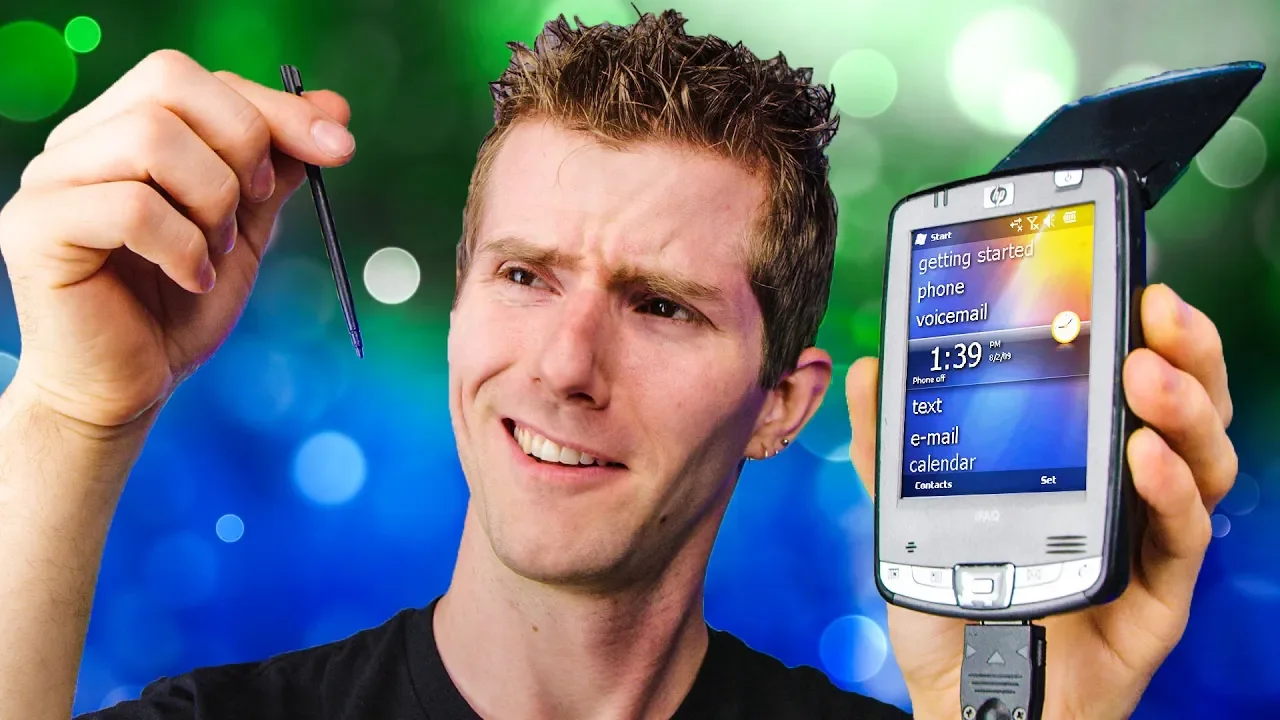
The "Pocket PC" I've had in my attic for 13 years
0 up · 0 down · 0 ratings
Promos
What passed as "cutting edge" pocket technology way back in the day? Well... the iPAQ was amazing pocket tech in MY day... let's check it out. Buy modern smartphones on Amazon: lmg.gg Discuss on the forum: linustechtips.com Our Affiliates, Referral Programs, and Sponsors: linustechtips.com Get Private Internet Access today at geni.us Displate metal posters: lmg.gg Linus Tech Tips merchandise at lttstore.com Linus Tech Tips posters at crowdmade.com Our Test Benches on Amazon: amazon.com Our production gear: geni.us Twitter - twitter.com Facebook - @LinusTech Instagram - @linustech Twitch - twitch.tv Intro Screen Music Credit: Title: Laszlo - Supernova Video Link: youtube.com iTunes Download Link: itunes.apple.com Artist Link: soundcloud.com Outro Screen Music Credit: Approaching Nirvana - Sugar High youtube.com
The video opens with Linus reminiscing about a personal digital assistant that he carried long ago, explaining that it sits in his attic and, remarkably, still functions. He walks through a physical tour of the device, pointing out the stylus, SD card slot, compact flash reader, headphone jack, and a cassette-tape shaped button whose function is a mystery to him. He notes the screen is pressure sensitive rather than capacitive, which required a fuller press and allowed using simple objects like a fingernail to interact, contrasting it with modern touchscreens. The video then shifts to a hands-on exploration of the Pocket PC’s hardware and design choices, including a bulky form factor, proprietary charging cables, and a removable battery, all framed as a snapshot of a bygone era of pocket technology. He compares performance and features against contemporary devices, highlighting how far mobile hardware and user interfaces have come, and he reflects on the sentimental value of using this 13-year-old device for his first self-employed job. As he powers it up, Linus dives into the device’s internals and software. He identifies the processor as an Intel XScale variant running Windows Mobile 5, with about 64 MB of RAM, and notes the top-left Start Menu style navigation unusual for Windows Mobile. He demonstrates the outdated networking capabilities, including the lack of WPA2 support, making online connectivity impractical in his setup. The desktop experience is showcased next, including a calendar and task management that feel surprisingly functional for a personal organizer, with attention to how early mobile systems handled scheduling and reminders. He explores the file system and apps, praising the ability to browse root directories and load software that extended the device’s capabilities, such as a media player capable of decoding codecs that the default player could not, and a few niche administrative and drug lookup apps that reflect the device’s era-specific software ecosystem. Towards the end, Linus discusses practical quirks and maintenance, like the removable battery and the fact that the device stores data even if the battery dies, but requires the battery to power on. He also recounts his upgrade experience from an older unit to a higher-end model with an IR blaster and the headaches of non-standard charging docks, sharing personal anecdotes about service plans and accessory compatibility. The video closes with a light, humorous note inviting viewers to explore more modern devices while acknowledging the enduring charm of retro tech. Throughout, the host blends technical detail with nostalgic storytelling, offering a thorough snapshot of early 2000s pocket computing and why these devices mattered to enthusiasts then and still captivate today.
Topics · retro tech · technology history · portable devices · windows mobile · embedded systems · tech nostalgia
Questions answered
- What was the main input method of the Pocket PC and how did it differ from modern touchscreens?
- The Pocket PC used a pressure sensitive stylus input rather than capacitive touch, requiring firm presses and making a stylus or a fingernail viable for interaction, unlike modern screens that rely on capacitive touch.
- What were some standout hardware features of the device?
- Key features included SD card and compact flash slots, a removable battery, a proprietary charging dock, and the ability to run Windows Mobile 5 with an Intel XScale processor.
- Why was online connectivity limited on this device in the video?
- The device did not support WPA2, and the network being tested rejected devices that only supported legacy security, so Wi-Fi connectivity could not be established in the demonstration.