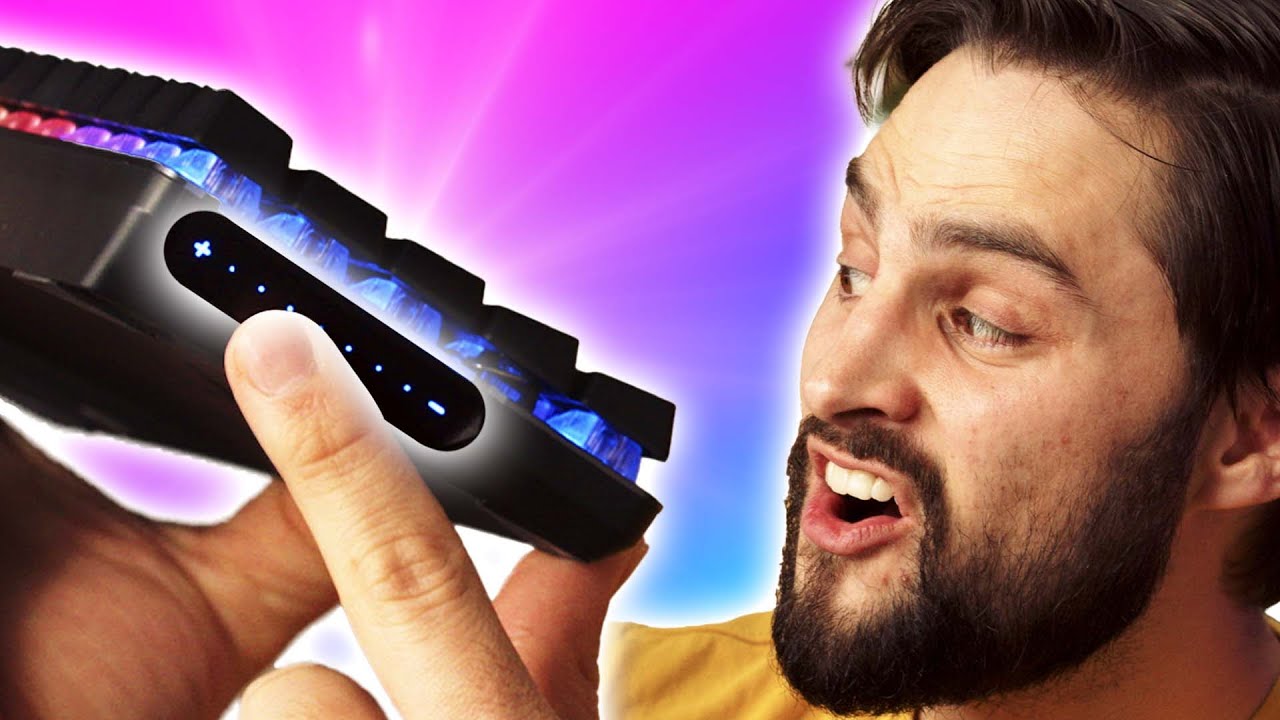
This Touch Bar Isn't A GIMMICK! - ASUS ROG Falchion NX Keyboard
0 up · 0 down · 0 ratings
Promos
Thanks to ASUS ROG for sponsoring today’s video! Learn more about the ASUS ROG Falchion NX: lmg.gg Learn more about ASUS ROG NX switches: lmg.gg ASUS ROG's Falchion NX Keyboards are more powerful than you'd expect. You have your standard configuration but their new NX switches provide easier typing for faster actions in games, and their touch bar is more useful than gimmicky. Purchases made through some store links may provide some compensation to Linus Media Group. ►GET MERCH: lttstore.com ►SUPPORT US ON FLOATPLANE: floatplane.com ►LTX EXPO: ltxexpo.com AFFILIATES & REFERRALS --------------------------------------------------- ►Affiliates, Sponsors & Referrals: lmg.gg ►Check out our podcast gear: kit.co ►Private Internet Access VPN: lmg.gg ►Our Official Charging Partner Anker: lmg.gg ►Secretlabs Gaming Chairs: lmg.gg ►MK Keyboards: lmg.gg ►Nerd or Die Stream Overlays: lmg.gg ►Green Man Gaming lmg.gg ►Amazon Prime: lmg.gg ►Audible Free Trial: lmg.gg ►Our Gear on Amazon: lmg.gg FOLLOW US ELSEWHERE --------------------------------------------------- Twitter: twitter.com Instagram: @shortcircuityt Facebook: @ShortCircuitYT FOLLOW OUR OTHER CHANNELS --------------------------------------------------- Linus Tech Tips: lmg.gg TechLinked: lmg.gg Mac Address: lmg.gg Techquickie: lmg.gg LMG Clips: lmg.gg Channel Super Fun: lmg.gg Carpool Critics: lmg.gg CHAPTERS --------------------------------------------------- 0:00 - Intro 0:15 - Falchion background information 0:50 - Unboxing 1:50 - Build impressions 4:10 - Touch bar information 4:35 - Function keys and macros 5:14 - Keyboard cover 5:54 - Battery life 6:15 - NX key switch comparison 7:53 - Touch bar impressions and configuration 9:55 - Final thoughts
The ASUS ROG Falchion NX Keyboard is presented as a compact 65 percent wireless keyboard that aims to redefine what a touch bar can do. The host walks through an unboxing, noting its small footprint, the included 2.4 GHz dongle, and the magnetic dock for storing the dongle when not in use. He highlights the build quality, the PVT double shot keycaps, and the slightly shorter key stems that enable a shorter overall height, explaining how this design choice creates a denser, more travel-friendly board while sacrificing some compatibility for replacement keycaps. The touch bar is introduced as a capacitive, remappable surface rather than a gimmick, capable of acting as a volume slider, battery indicator, zoom control, or other contextual functions via software, with an option to lock it using Function + Tab. The video then delves into the NX switches, comparing browns, reds, and blues, and discusses their perceived tactile differences, sound profiles, and how these affect typing and gaming. Finally, the host explores the keyboard’s software and hardware integrations, including per-key RGB, Aura Sync support, and macro recording, concluding that the Falchion NX packs substantial features into a small chassis, with strong potential for customization and efficient gaming performance under the right setup.
Topics · technology · hardware · peripherals · computer-automation · gaming
Questions answered
- What makes the ASUS ROG Falchion NX different from a standard 65 percent keyboard?
- The Falchion NX is a wireless 65 percent keyboard with a remappable capacitive touch bar, Aura Sync RGB, per-key lighting, and NX switches in brown, red, and blue varieties, all in a compact form factor that retains arrow keys and on-the-fly macro capabilities.
- How can the touch bar be configured and what functions can it perform?
- The touch bar is remappable via software and can function as a volume slider, battery indicator, zoom control, or map to other tasks. It supports different sections for swipe and tap gestures and can be locked with a Function plus Tab combination.
- What about battery life and wireless options for the Falchion NX?
- ASUS claims up to 450 hours of battery life with RGB off and around 56 hours with RGB on, depending on usage, and the keyboard includes a 2.4 GHz wireless dongle for low-latency connections as well as a USB-C wired option.