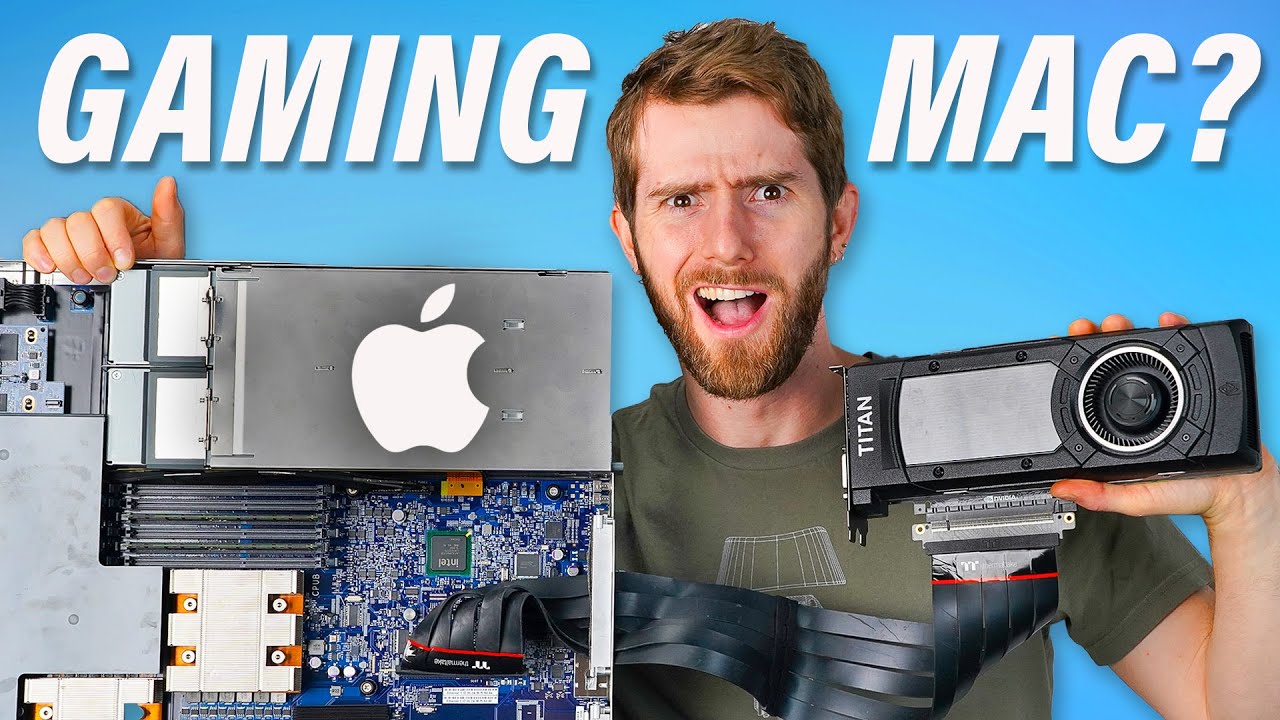
Gaming on the Apple SERVER? - XServe 3,1
0 up · 0 down · 0 ratings
Description
You’ll be amazed at what you can do with GrammarlyGO. Sign up at grammarly.com and get 20% off Grammarly Premium.
Promos
Check out the Govee Curtain Light at the link below! Amazon: amzn.to Website: bit.ly Gaming on a Mac leaves something to be desired in 2023. But was it always so hard? Could Apple's final server ACTUALLY be a good gaming PC with the right tweaks? Discuss on the forum: linustechtips.com Buy an Intel Xeon E5520 Processor: geni.us Buy Kingston 1x16GB DDR3 RAM: geni.us Buy an EVGA GeForce GTX TITAN X Graphics Card: geni.us Purchases made through some store links may provide some compensation to Linus Media Group. ► GET MERCH: lttstore.com ► LTX 2023 TICKETS AVAILABLE NOW: lmg.gg ► GET EXCLUSIVE CONTENT ON FLOATPLANE: lmg.gg ► SPONSORS, AFFILIATES, AND PARTNERS: lmg.gg ► EQUIPMENT WE USE TO FILM LTT: lmg.gg ► OUR WAN PODCAST GEAR: lmg.gg FOLLOW US --------------------------------------------------- Twitter: twitter.com Facebook: @LinusTech Instagram: @linustech TikTok: @linustech Twitch: twitch.tv MUSIC CREDIT --------------------------------------------------- Intro: Laszlo - Supernova Video Link: youtube.com iTunes Download Link: itunes.apple.com Artist Link: soundcloud.com Outro: Approaching Nirvana - Sugar High Video Link: youtube.com Listen on Spotify: spoti.fi Artist Link: youtube.com Intro animation by MBarek Abdelwassaa @mbarek_abdel Monitor And Keyboard by vadimmihalkevich / CC BY 4.0 geni.us Mechanical RGB Keyboard by BigBrotherECE / CC BY 4.0 geni.us Mouse Gamer free Model By Oscar Creativo / CC BY 4.0 geni.us CHAPTERS --------------------------------------------------- 0:00 Intro 1:03 Upgrade Path 5:50 Testing it all out 6:28 Why won't you work? 8:14 It works! But why? 10:45 It boots! Can we game? 12:30 Booting games by any means necessary 14:23 The games drive is dead 15:12 Gaming for real this time 17:48 Final Thoughts
This video investigates the Apple XServe 3,1, a legacy server that Linus Tech Tips repurposes into a gaming machine with a series of bold hacks and careful hardware swaps. The host begins by highlighting the unusual mix of features on this machine, such as onboard power and reset switches and socketed Xeon CPUs, which makes upgrades possible in theory. He emphasizes how Apple’s final server offering difered from modern Macs, noting that upgrading memory, CPUs, and even adding a PCIe GPU are possible with enough patience and the right fittings. The first major segment focuses on selecting and installing a GPU via a PCIe 16x slot, including a workaround using a PCIe riser to keep the graphics card outside the chassis. The host cycles through power wiring, a temporary power solution, and safety checks, making clear that the project hinges on finding a usable balance between performance and thermals. The early testing phase shows mixed results as memory and boot issues arise, illustrating the fragility and novelty of reviving such an old platform for gaming use. By the 6 to 7 minute mark, the system begins to post and users are treated to a glimpse of actual Steam navigation on the XServe, albeit with early driver caveats and compatibility hurdles. The video blends humor with iterative troubleshooting as the team experiments with RAM placement, PCIe risers, and potential driver workarounds to coax the machine into a playable state. In later segments the team evaluates RAM capacity, memory channel configurations, and the impact of legacy GPU drivers on macOS gaming, culminating in a discussion of the broader viability of gaming on older Apple hardware. The host also frames the situation in a broader tech context, noting that as Steam drops support for older macOS versions, the XServe’s relevance to mainstream gaming will fade, while contrasting this with new porting toolkits announced at WWDC 2023 which could improve future Mac game accessibility. The video closes with reflective notes on the nostalgic appeal of Apple’s customization era, balanced against the practical realities of modern gaming software, and it teases a deeper dive into the XServe’s original purpose in a prior episode. Overall, the episode blends hands-on hardware tinkering with candid commentary on Macintosh gaming history, and it leaves viewers with both constructive technical takeaways and a sense of appreciation for unconventional build experiments.
Topics · technology · hardware · gaming · servers · macintosh · pcie · ram · gpu
Questions answered
- Is the Apple XServe 3,1 a viable gaming PC with current hardware?
- The video shows it can boot and run some games using a PCIe GPU and custom wiring, but it remains a niche, impractical setup due to thermals, driver limitations, and fading software support.
- What upgrade paths were explored for this machine?
- Upgrading RAM to as much as 96 GB and inserting a PCIe GPU via a riser were tested, with mixed success and caveats about memory slots and power distribution.
- What is the broader takeaway about gaming on old Apple hardware?
- While technically possible to a degree, the practical future of such systems is limited as software support declines and newer porting tools emerge.