Android 13 Hands-On: Top 5 Features!
0 up · 0 down · 0 ratings
Channels and socials
The 5 best features in the newest Android 13 Update! That shirt! shop.mkbhd.com The dbrand Something skin: dbrand.com Get a Google Pixel 6 Pro at geni.us iOS adoption chart: mixpanel.com Pixel Buds Pro blog post: google.com Intro Track: youtube.com Playlist of MKBHD Intro music: goo.gl ~ twitter.com @MKBHD @MKBHD
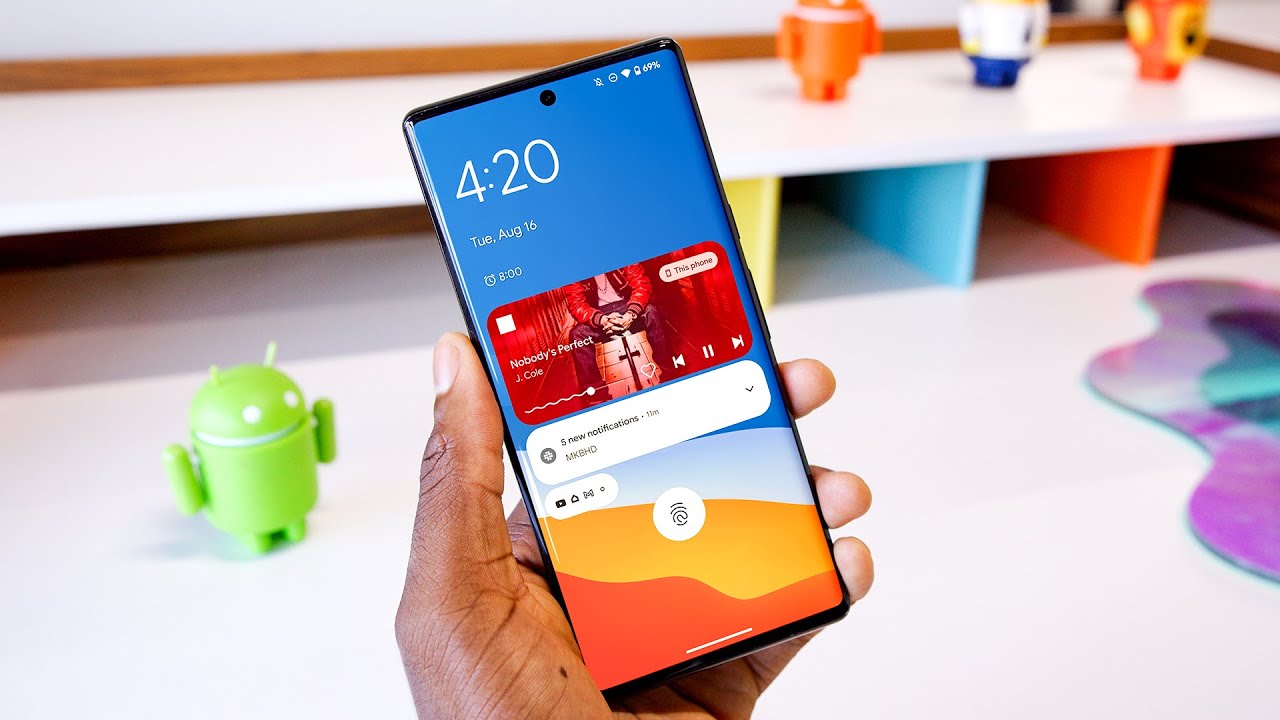
Android 13 Hands-On: Top 5 Features! provides a detailed walk-through of the latest Android update focusing on five key improvements. The host starts by framing Android 13 within the Android and iOS update landscape, noting ongoing fragmentation and the generally smaller, but meaningful, tweaks that accumulate to better daily usability. The clipboard enhancements are presented as feature number five, including a new lower-left pop-up that previews copied text, allows in-place editing, and even supports image markup, with the device automatically clearing sensitive clipboard content after a set period. Privacy and security receive attention next, highlighting more granular photo access permissions and an opt-in model for notifications, along with an active app indicator to help users monitor what runs in the background. Audio improvements are explained as feature number three, with native spatial audio support and Bluetooth LE for higher quality, lower-latency audio, acknowledging current hardware limitations like the Pixel Buds Pro. Language customization is feature number two, enabling app-specific language switching so users can run certain apps in a different language without changing the entire device language. Finally, feature number one centers on aesthetics, detailing refinements to Material You such as a more precise theme picker with many more color options, an enhanced media player that adapts to what’s playing, minor clock and animation updates, and practical tweaks to quick settings access. The host concludes that while updates feel incremental, the cumulative effect improves daily use, performance, and personalization, inviting viewer feedback on preferred features and device compatibility. The video also addresses broader implications of Android 13, including how updates propagate through devices over time and the balance between new features and potential bugs. The presenter notes ongoing bug fixes and performance improvements, and teases upcoming reviews of related hardware like the Pixel Buds Pro with potential firmware updates that could unlock features such as spatial audio. Overall, the video positions Android 13 as a thoughtful, quality-of-life upgrade rather than a dramatic overhaul, while remaining practical about device compatibility and real-world usefulness for users and developers alike.
Topics · technology · mobile · software · android
Questions answered
- What is the standout new feature in Android 13 according to the video?
- The video highlights app-specific language support as a notably useful feature, allowing individual apps to run in a different language from the system language.
- How does Android 13 handle clipboard privacy?
- Android 13 adds a preview box for copied content, allows in-place editing of text, and automatically clears sensitive clipboard data after a set period.