It CAN be done - The Potato PC
0 up · 0 down · 0 ratings
Promos
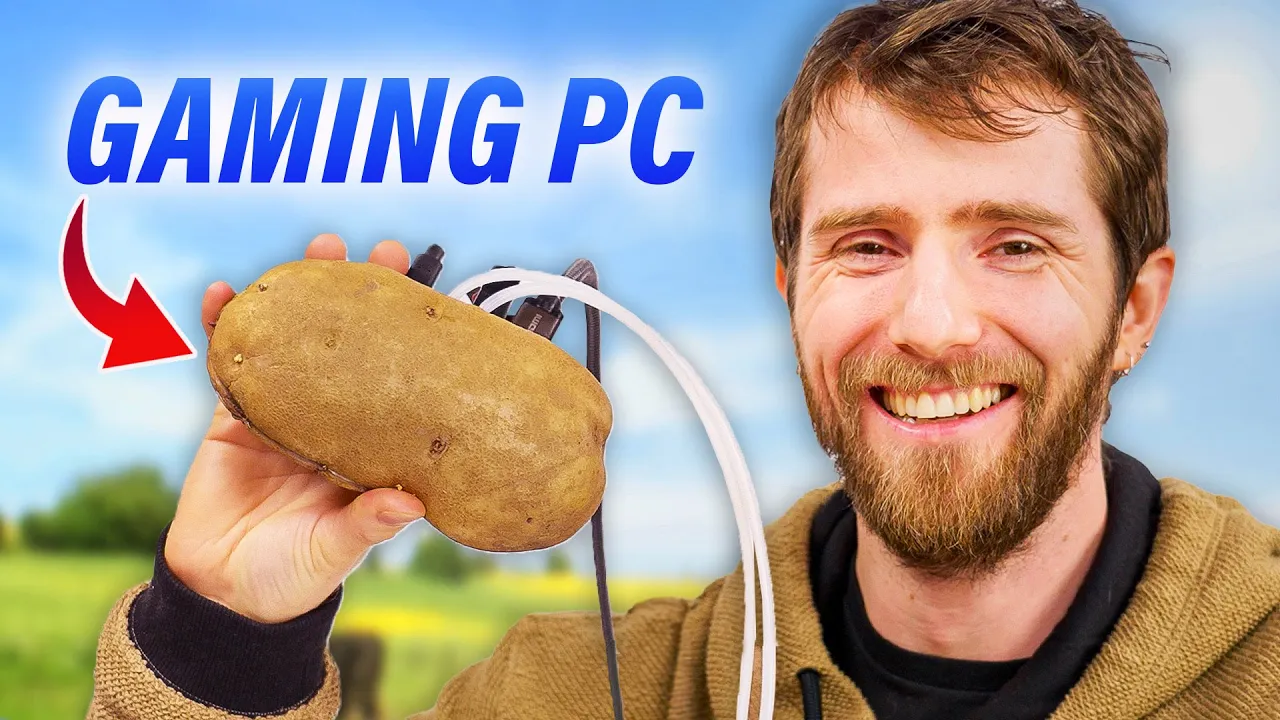
Go to thorum.com and get 20% off by using the code LTT at checkout! People claim their computers are Potatoes, but we put a Windows PC into a spud. THE FUTURE IS NOW, OLD MAN! APUs have allowed for gaming rigs to fit into small form factor cases and we think we might have made the ultimate watercooled build. Is this brilliant feat of engineering or something stupid? Let’s hash it out. Discuss on the forum: linustechtips.com Buy a Minisforum EM680 Mini PC: geni.us Buy an UGREEN 300W USB C Nexode Charger: geni.us Purchases made through some store links may provide some compensation to Linus Media Group. ► GET MERCH: lttstore.com ► GET EXCLUSIVE CONTENT ON FLOATPLANE: lmg.gg ► SPONSORS, AFFILIATES, AND PARTNERS: lmg.gg ► EQUIPMENT WE USE TO FILM LTT: lmg.gg ► OUR WAN PODCAST GEAR: lmg.gg FOLLOW US --------------------------------------------------- Twitter: twitter.com Facebook: @LinusTech Instagram: @linustech TikTok: @linustech Twitch: twitch.tv MUSIC CREDIT --------------------------------------------------- Intro: Laszlo - Supernova Video Link: youtube.com iTunes Download Link: itunes.apple.com Artist Link: soundcloud.com Outro: Approaching Nirvana - Sugar High Video Link: youtube.com Listen on Spotify: spoti.fi Artist Link: youtube.com Intro animation by MBarek Abdelwassaa @mbarek_abdel Monitor And Keyboard by vadimmihalkevich / CC BY 4.0 geni.us Mechanical RGB Keyboard by BigBrotherECE / CC BY 4.0 geni.us Mouse Gamer free Model By Oscar Creativo / CC BY 4.0 geni.us CHAPTERS --------------------------------------------------- 0:00 Intro 0:56 What's the problem? 3:57 It's Potato Time 9:20 Turning it on - or not 12:06 Installing the NEW Watercooling 15:54 What about Potato PERIPHERALS? 17:56 Gaming
In It CAN be done - The Potato PC Linus Tech Tips pushes the boundaries of what counts as a computing build by sandwiching a Windows PC inside a potato. The team kicks off by reframing the challenge as a quest for the ultimate small form factor gaming rig, moving away from tiny Raspberry Pi jokes toward a real system in a tuber. They explain the constraints of potato size, IO access, and the need for effective cooling, setting the stage for a compact Minisforum EM680 as the core computer. The early discussion also leans into practical decisions about cooling options, with their choice to pursue a liquid cooling route and the exploration of conformal coating to protect circuitry from potato juices. This introductory portion frames the project as both engineering stunt and genuine exploration of how far APU-powered PCs can be pushed in tiny form factors. The second segment details the hardware selection and teardown, focusing on how the Minisforum EM680 delivers full PC horsepower in a palm-sized package. They highlight the EM680’s eight Zen 3 Plus cores, RDNA3 GPU, and the promise of support for a compact water cooling loop. As they disassemble and study the board layout, the hosts discuss the IO challenges and the feasibility of routing USB4 for essential connections. Importantly, they illustrate the balance between performance and size, noting that the goal is to fit CPU, memory, storage, and cooling into a potato shell without expanding the footprint. The dialogue emphasizes practical constraints and showcases the iterative problem-solving process behind a non-traditional build. In the third portion, they turn to the potato itself, selecting a suitable tuber and attempting to hollow it out without compromising integrity. They candidly admit earlier attempts at preserving a potato for hardware were unsuccessful, choosing instead to prototype on set. The team experiments with a homegrown cooling solution and then a crafted water block, built from copper and resin, to manage the thermal load. They discuss the engineering decisions around sealing, conformal coating, and the risks of potato juice exposure to electronics. The moment captures the tension between creative spectacle and methodical engineering as they test-fit components and consider airflow alongside liquid cooling. The fourth segment unfolds with the first live boot attempts, including power-up checks, leak trials, and the mounting of a dual 40 mm radiator to achieve passive cooling. After an initial leak, they pivot to resin-printed top parts and a reinforced seal, sharing triumphs and setbacks in equal measure. They reveal the challenges of IO access and port harmony, iterating on mounting holes and tube cutouts while maintaining structural integrity. The narrative here highlights the dramatic, hands-on nature of the project, from a shaky start to a functioning, albeit unconventional, gaming rig inside a spud. In the final stretch, the potato PC becomes demonstrably usable, with peripherals adapted to the tuber chassis and a hash of RAM, storage, and cooling all working together. They test Doom Eternal and Halo Infinite with surprising frame rates for such a compact rig, praising the APU-driven performance and the novelty of hash-powered novelty computing. The closing moments celebrate the community’s reaction, the display of RGB potato aesthetics, and the broader message that even quirky builds can illuminate available technology. The video ends with a nod to future creativity and a tease of related content, underscoring that experimentation and humor can coexist with genuine technical achievement.
Topics · technology · gaming · hardware · entertainment
Questions answered
- What was the main challenge of fitting a PC into a potato.
- The main challenge was creating a small, water-cooled system with sufficient IO access while preventing potato juice from damaging the electronics, using a Minisforum EM680 as the core and a custom copper-resin water block.
- Which cooling solution did they ultimately implement?
- They implemented a compact dual 40 mm radiator with a small pump and a bespoke water block, along with conformal coating to protect the board from moisture.
- Did they manage to get the potato PC to boot and run games?
- Yes, they booted the system and ran Doom Eternal and Halo Infinite, achieving playable frame rates for such a tiny PC.
- What peripherals did they use for the potato setup?
- They used a potato-shaped bezel, hash brown desk mat, a potato mouse with modified innards, and an RGB LED to add gaming aesthetics.
- What insights does this video offer for future DIY builds?
- The video demonstrates that with careful component selection, creative problem-solving, and protective coatings, highly compact gaming-capable PCs can be explored in unconventional enclosures, inspiring more affordable or novelty builds.