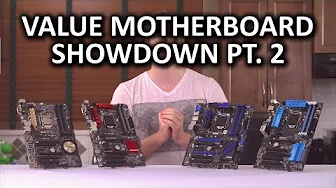
Bang for the Buck Z97 Motherboard Showdown Part 2 - Building Experience
0 up · 0 down · 0 ratings
Channels and socials
Part two of our value motherboard showdown is here! This time we assess the building experience of each motherboard. Sponsor link: linustechtips.com Pricing & discussion: linustechtips.com Support us: linustechtips.com Join our community forum: bit.ly twitter.com @LinusTech Intro Screen Music Credit: Adhesive Wombat -
Check out his channel here: youtube.com Outro Screen Music Credit: Approaching Nirvana - Sugar High youtube.com
The video Bang for the Buck Z97 Motherboard Showdown Part 2 - Building Experience continues the value-focused motherboard comparison by shifting attention from raw feature sets to the actual building experience. The host frames the episode around the practicalities of assembling a system on affordable Z97 boards, emphasizing PCIe layout, fan header placement, cable management, and case compatibility. Early on, the discussion highlights how top PCIe slots and bottom slots are usually the ones most utilized, and why proximity to certain slots can affect airflow and expansion choices even on budget boards. The narrative then pivots to connectors and front panel headers, noting labeling quality and usability across brands such as Gigabyte, ASUS, MSI, ASRock, and ASRock, with specific notes on four-pin versus PWM headers and USB 3.0 header placement. The episode wraps with observations on accessories, color schemes, and the broader takeaway: plan around real-world use and existing case constraints rather than chasing every feature, and tease the BIOS usability review upcoming after CES to complete the building experience picture. Overall, the video reinforces a pragmatic approach to selecting a value motherboard by evaluating how well the components fit together in a real build rather than simply counting features.
Topics · technology · hardware · pc_building · reviews · computer_hardware
Questions answered
- What aspects of building a budget Z97 motherboard does the video prioritize?
- The video prioritizes practical building aspects such as PCIe layout, fan header placement, cable management, case compatibility, and color/cosmetic considerations, along with accessory contents and general usability of the boards.
- Why should viewers consider planning for actual use over future-proofing when buying a budget motherboard?
- Because most users will not utilize every feature of an expensive board, and matching the motherboard to your case, cooler, and intended use yields better real-world results and easier builds, which is emphasized as the core takeaway.