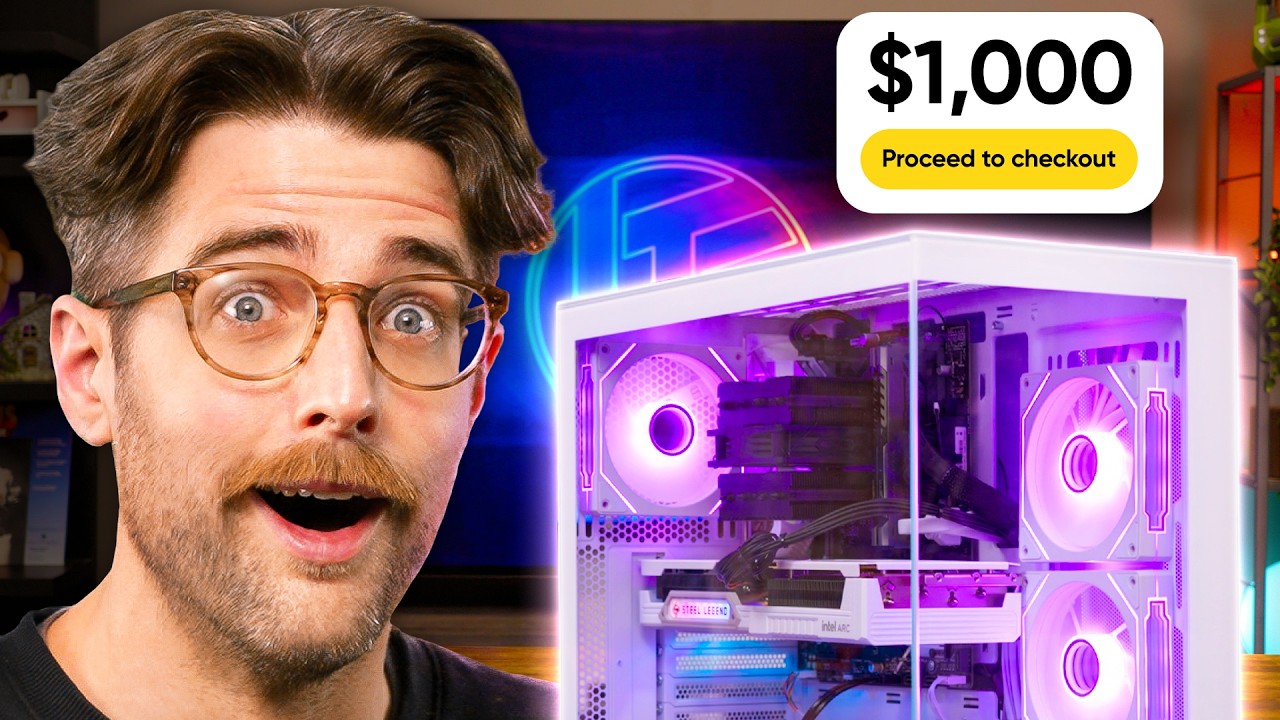
$1000 Gaming PC - Classic LTT Build Guide (2026)
0 up · 0 down · 0 ratings
Description
Thanks to Tello for sponsoring this video!
Check out their plans at tello.com Linus is on vacation so Riley steps up to showcase what PC you could build with $1,000 in this economy. Discuss on the forum: linustechtips.com
Check out the parts from the build: Intel Core i5-12600K 3.7 GHz 10-Core Processor: geni.us Thermalright Peerless Assassin 90 SE White CPU Cooler: geni.us ASUS B760M-AYW WIFI D4 II Micro ATX LGA1700 Motherboard: geni.us G.Skill Ripjaws V 16 GB (2 x 8 GB) DDR4-3600 CL18 Memory: geni.us Crucial BX500 1TB 3D NAND SATA 2.5-Inch Internal SSD: geni.us ASRock Intel Arc B580 Steel Legend 12GB OC Graphics Card: geni.us Phanteks XT PRO ATX Mid Tower Case: geni.us MSI MAG A650BN 650 W 80+ Bronze Certified ATX Power Supply: geni.us
Channels and socials
Check out our Channel Partners: Secretlab - Grab a TITAN Evo ergonomic gaming chair: lmg.gg PIA - Get the VPN of our choice: piavpn.com dbrand - Buy a "Circuit" series skin for your device: dbrand.com ► SHOP LTT PRODUCTS: lttstore.com ► GET EXCLUSIVE CONTENT ON FLOATPLANE: lmg.gg ► DIVE DEEPER ON THE LTT LABS WEBSITE: lmg.gg ► SPONSORS, AFFILIATES, AND PARTNERS: lmg.gg Purchases made through some store links may provide some compensation to Linus Media Group. Affiliate links powered in part by affilimate.com Linus Sebastian is an investor in Framework Computer, Inc and HexOS by Eshtek. CHAPTERS --------------------------------------------------- 0:00 Intro 1:21 CPU 2:14 Motherboard 2:50 Tools and CPU Install 4:16 Memory 5:30 CPU Cooler 7:15 Case 8:43 Storage 10:10 Power Supply 12:06 Graphics Card 13:30 Wiring 14:35 Gaming 18:23 Conclusion 19:52 Outro
The video presents a step‑by‑step guide for assembling a $1,000 gaming PC that balances performance and value. The host begins by unboxing the Core i5‑12600K, the ASUS B760M‑A‑Y‑W‑Wi‑Fi‑D4‑II motherboard, and the ASRock Steel Legend Intel Arc B580 GPU, then demonstrates how to seat the GPU in the PCIe slot, attach power and audio connectors, and route cables with zip ties. In the second half, the host installs the 2×8 GB DDR4 kit from G.Skill, mounts the 1 TB SATA SSD on the back of the case, and connects the MSI MAG ABN 650 W power supply to the CPU and GPU. After a quick BIOS tweak to enable Resizable Bar on the Arc B580, the system is booted and tested in Marathon and Resident Evil, achieving ~100 FPS at 1440p, 240 Hz, and ~71 FPS at medium settings. The build cost just over $1,000, and the host invites comments on potential GPU upgrades and thanks sponsor Tello for their phone plans. The host’s commentary is engaging and technical, with clear explanations of cable management and component placement. He highlights the value of the 6‑P‑core/4‑E‑core 12600K for its upgrade path and the PCIe Gen 5 support of the motherboard. The video also showcases the case’s ARGB fans and Type‑C front IO, making it a comprehensive guide for budget gamers. The final performance test demonstrates the build’s capability to run modern titles at high refresh rates, confirming the chosen parts deliver strong value for the price.
Viewers praise the host’s clear instructions and the build’s affordability, with several comments noting the value of the 12600K and the Arc B580. Many viewers appreciate the sponsor mention and ask for more Riley content. The comments also highlight the host’s humor and the overall quality of the video, with a high like count of 2100 and several replies confirming the build’s effectiveness.
Topics · gaming · review · pc · tech · performance · cpu · gpu · build
Questions answered
- What is the main benefit of using the Core i5‑12600K in a $1,000 gaming PC build?
- The 6‑P‑core/4‑E‑core design offers strong performance and an upgrade path, making it a cost‑effective choice for a budget gaming PC.
- Which motherboard is chosen for this build and why?
- The ASUS B760M‑A‑Y‑W‑Wi‑Fi‑D4‑II is selected for its PCIe Gen 5 support, 2.5 Gb LAN, and two DIMM slots, providing a solid foundation for the components.
- How is cable management handled in the build?
- Cable routing is done with zip ties, ensuring a tidy interior and efficient airflow, while the case’s ARGB fans and Type‑C front IO allow for easy cable connections.
- What performance results are achieved after the build?
- The system runs at 1440p, 240 Hz, with RAM at 3600 MT/s and Resizable Bar enabled on the Arc B580, achieving ~100 FPS in Marathon and ~71 FPS in Resident Evil at medium settings.