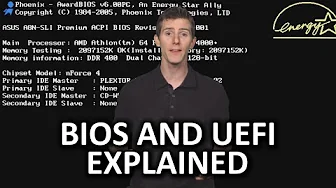
BIOS and UEFI As Fast As Possible
0 up · 0 down · 0 ratings
Description
What fundamental things does a computer BIOS do, and what are the important differences between the traditional BIOS and the newer UEFI? Freshbooks message: Head over to freshbooks.com and don’t forget to enter Tech Quickie in the “How Did You Hear About Us” section when signing up for your free trial. Follow: twitter.com Join the community: linustechtips.com
The video opens by framing the BIOS as a critical yet misunderstood bridge between hardware and software. It explains that the BIOS is a small piece of code stored on a motherboard chip, acting as the initial controller that wakes the system on power up and configures hardware like CPU, RAM, and peripherals. The host then describes the POST, or power-on self-test, highlighting how a single beep usually signals everything is functioning, while multiple beeps indicate hardware issues. The discussion moves on to how the BIOS searches for a bootable device and hands control over to the operating system, noting that older BIOSes required more direct hardware handling and basic input output connections. The video transitions to the limitations of traditional BIOS, especially in terms of drive support, which could only handle relatively small partitions. The introduction of UEFI is presented as a solution that not only supports vastly larger storage devices but also boots more quickly and offers a graphical, mouse-enabled interface. The host contrasts the traditional blue BIOS screens with the modern UEFI experiences and touches on historical methods such as jumper-based configuration, illustrating how much easier firmware management has become. Finally, the video briefly situates BIOS and UEFI in the broader context of computer boot processes, underscoring the evolution from legacy firmware to modern, flexible interfaces while maintaining a light, accessible tone throughout the explanation. In a second, more focused segment, the video emphasizes practical takeaways for viewers: UEFI’s advantages over legacy BIOS include improved boot times, support for GPT partitions, and user-friendly configuration options. It explains that UEFI works with modern storage standards and can present a graphical setup utility, making firmware settings more approachable even for non-technical users. The host briefly notes that some consumers still refer to UEFI as BIOS, highlighting naming conventions and the lingering cultural familiarity with traditional terms. The script then transitions into a short, lighthearted product plug regarding FreshBooks, illustrating the video’s typical tech-education style that blends information with occasional sponsorship content. Throughout, concrete examples, such as MBR versus GPT and the concept of POST beeps, anchor abstract firmware ideas in tangible hardware behavior. The overall takeaway is that BIOS remains foundational, but UEFI represents a significant modernization that improves speed, scalability, and usability, while the core role of firmware as the hardware-software handshake endures. The video closes with an invitation to like, comment, and subscribe for more concise tech explanations, reinforcing the channel’s educational mission and communal tone.
Topics · technology · computing · firmware · hardware
Questions answered
- What is the primary role of the BIOS in a PC startup sequence?
- The BIOS initializes hardware components, performs the POST, and then hands control to the operating system once a bootable device is found.
- What advantages does UEFI offer over traditional BIOS?
- UEFI supports larger storage devices with GPT, faster boot times, and a graphical setup interface with mouse support.