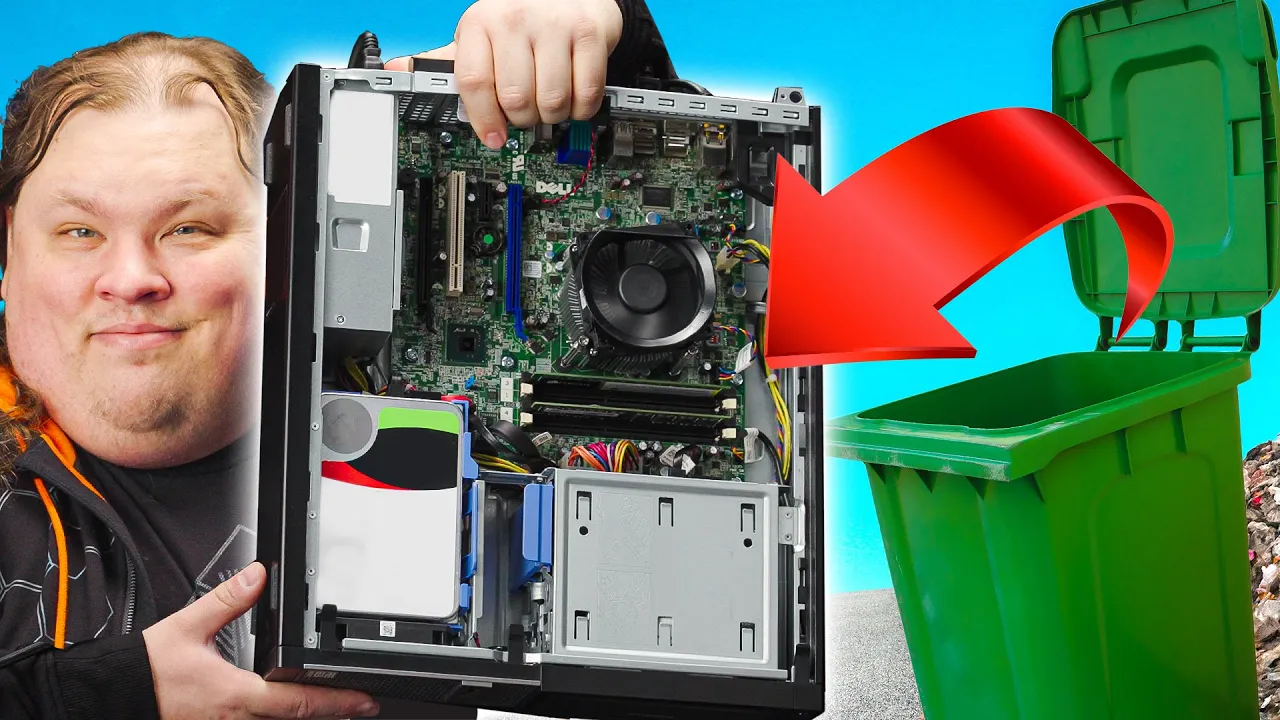
Your Old PC is Your New Server
0 up · 0 down · 0 ratings
Promos
Thanks to Pulseway for sponsoring this video! Try Pulseway for free to start monitoring and managing your server or PC, and get 20% off for a limited time at lmg.gg Buy Seagate Ironwolf Pro 12TB on Amazon: geni.us Buy Kingston 2.5" SSD: geni.us Buy Windows 10: geni.us Buy 5.25 to 3.5" Drive Adapter on Amazon: geni.us Get UnRAID: geni.us Winaero: winaero.com Plex: plex.tv Purchases made through some store links may provide some compensation to Linus Media Group. Discuss on the forum: linustechtips.com ► GET MERCH: lttstore.com ► AFFILIATES, SPONSORS & REFERRALS: lmg.gg ► PODCAST GEAR: lmg.gg ► SUPPORT US ON FLOATPLANE: floatplane.com FOLLOW US ELSEWHERE --------------------------------------------------- Twitter: twitter.com Facebook: @LinusTech Instagram: @linustech TikTok: @linustech Twitch: twitch.tv MUSIC CREDIT --------------------------------------------------- Intro: Laszlo - Supernova Video Link: youtube.com iTunes Download Link: itunes.apple.com Artist Link: soundcloud.com Outro: Approaching Nirvana - Sugar High Video Link: youtube.com Listen on Spotify: spoti.fi Artist Link: youtube.com Intro animation by MBarek Abdelwassaa @mbarek_abdel Monitor And Keyboard by vadimmihalkevich / CC BY 4.0 geni.us Mechanical RGB Keyboard by BigBrotherECE / CC BY 4.0 geni.us Mouse Gamer free Model By Oscar Creativo / CC BY 4.0 geni.us CHAPTERS --------------------------------------------------- 0:00 Intro 0:51 Servers = Computers 2:33 Shocking reveal 3:30 Starting fresh 4:30 Software 5:15 Network Share 6:46 What's next? 8:17 DVD's are dead 9:45 RAID: Shadow Copy 9:59 Storage Spaces
This video demonstrates how an aging PC can be repurposed into a practical home server, highlighting a from-scratch approach that emphasizes low cost and simplicity. The host begins by reframing servers as a role rather than a specific hardware class, arguing that even a nine-year-old CPU and a modest GPU absence can still serve many server-like duties. They use an OptiPlex 7010 bought cheaply from a recycler as the test machine, noting its solid build quality and a boot drive of 128 GB plus 1 TB of storage. The plan is deliberately approachable: install Windows, disable unnecessary bloatware, and deploy user-friendly software like Plex Media Server and Pulseway for remote management. The overarching message is that you can start small, with the option to expand later as needs evolve, rather than jumping straight to a specialized NAS or Linux-based solution. In the second segment, the host walks through OS setup and initial configuration, choosing Windows for its approachable GUI workflow. They perform a factory reset and upgrade an aging Windows install, then tailor the system with tools like WinAero Tweaker to minimize updates and telemetry. The emphasis is on a smooth, GUI-driven setup that avoids steep learning curves, making it accessible to beginners. Plex is installed to host media, and Pulseway enables headless remote management so the server can be controlled from a browser or mobile app. They also demonstrate basic file sharing on the local network, setting permissions to allow read and write access for a broader group of devices. The final part focuses on storage expansion and data protection, upgrading with two 12 TB ironwolf pro drives, and building a 12 TB redundant storage pool using Windows Storage Spaces configured as a two-way mirror. The hosts explain practical considerations for drive compatibility, cabling, and chassis clearance, showing iterative problem solving as they mount the drives and test the setup. They confirm the resulting NAS-like box can be managed remotely via Pulseway and accessed locally through a network share, all while remaining on Windows rather than moving to Linux. The video closes with a cost/benefit note that a robust 12 TB redundant NAS can be assembled for under a thousand dollars, underscoring ownership and control of personal data as a key advantage.
Topics · technology · computing · diy · home_server · data_storage
Questions answered
- What is the main idea behind repurposing an old PC as a home server?
- The main idea is that servers are about the role they perform, not the specific hardware, so an old PC can host services like media streaming and file sharing with a simple setup.
- Why choose Windows for an initial home server rather than Linux?
- Windows is recommended for beginners because of its familiar GUI, making it easier to set up Plex, remote access, and basic file sharing without learning a new operating system.
- What storage configuration is demonstrated for data redundancy?
- The video demonstrates creating a 12 TB storage pool using Storage Spaces in a two-way mirror (RAID 1 style) to protect data while using consumer drives.