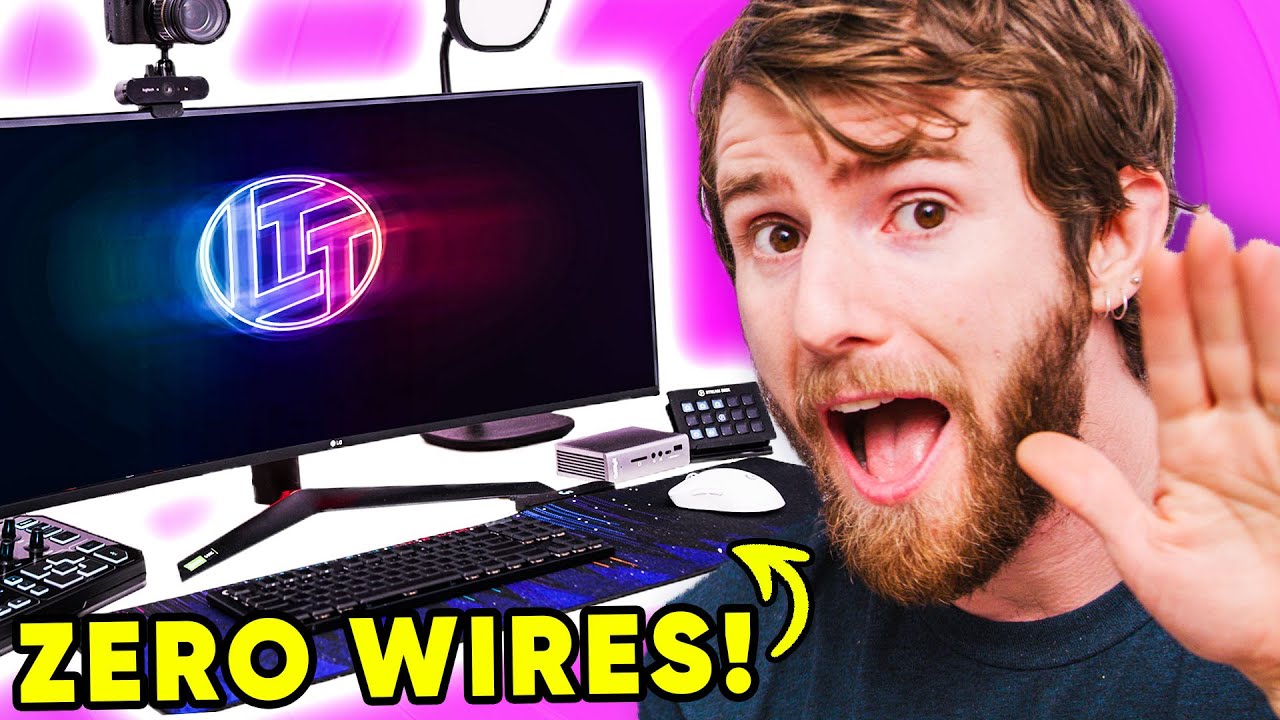
It's time to break up. - Stream setup cable management
0 up · 0 down · 0 ratings
Promos
Thanks to Logitech G for sponsoring today's video! Find out how you can break up with wires at lmg.gg The cable mess was real, so bad the community demanded it be fixed! So Linus..... well he did what he does best and decided it would be great to cable manage an hour before WAN show. You can probably guess what happened next. Buy Logitech G915 Gaming Wireless Keyboard (TKL) On Amazon (PAID LINK): geni.us On Best Buy (PAID LINK): geni.us On Newegg (PAID LINK): geni.us Buy Logitech G Pro Wireless Mouse On Amazon (PAID LINK): geni.us On Best Buy (PAID LINK): geni.us On Newegg (PAID LINK): geni.us Buy Logitech Powerplay Mouse Pad On Amazon (PAID LINK): geni.us On Best Buy (PAID LINK): geni.us On Newegg (PAID LINK): geni.us Buy Logitech G Pro X Wireless Lightspeed Gaming Headset On Amazon (PAID LINK): geni.us On Best Buy (PAID LINK): geni.us On Newegg (PAID LINK): geni.us Purchases made through some store links may provide some compensation to Linus Media Group. Discuss on the forum: lmg.gg ►GET MERCH: lttstore.com ►SUPPORT US ON FLOATPLANE: floatplane.com ►LTX EXPO: ltxexpo.com AFFILIATES & REFERRALS --------------------------------------------------- ►Affiliates, Sponsors & Referrals: lmg.gg ►Private Internet Access VPN: lmg.gg ►Our Official Charging Partner Anker: lmg.gg ►MK Keyboards: lmg.gg ►Nerd or Die Stream Overlays: lmg.gg ►NEEDforSEAT Gaming Chairs: lmg.gg ►Displate Metal Prints: lmg.gg ►Official Game Store: nexus.gg ►Epic Games Store (LINUSMEDIAGROUP): lmg.gg ►Amazon Prime: lmg.gg ►Audible Free Trial: lmg.gg ►Streamlabs Prime: geni.us ►Our Gear on Amazon: geni.us FOLLOW US ELSEWHERE --------------------------------------------------- Twitter: twitter.com Facebook: @LinusTech Instagram: @linustech Twitch: twitch.tv FOLLOW OUR OTHER CHANNELS --------------------------------------------------- Techquickie: lmg.gg TechLinked: lmg.gg ShortCircuit: lmg.gg LMG Clips: lmg.gg Channel Super Fun: lmg.gg Carpool Critics: lmg.gg MUSIC CREDIT --------------------------------------------------- Title: Laszlo - Supernova Video Link: youtube.com iTunes Download Link: itunes.apple.com Artist Link: soundcloud.com Outro Screen Music Credit: Approaching Nirvana - Sugar High youtube.com Monitor And Keyboard by vadimmihalkevich / CC BY 4.0 geni.us Mechanical RGB Keyboard by BigBrotherECE / CC BY 4.0 geni.us Mouse Gamer free Model By Oscar Creativo / CC BY 4.0 geni.us
This video documents a dramatic, hands-on cable management project carried out in just over an hour, driven by a sponsorship from Logitech G. The host begins with a confession of hating cable clutter and sets the stage for a complete desk overhaul, explaining that there is about an hour before WAN Show and that viewers will see a rapid cleanup, reorganization, and reconfiguration of both peripherals and running cables. The early portion focuses on choosing new wireless gear to replace wired components, highlighting the G915 Keyboard, G Pro Wireless Superlight mouse, and PowerPlay wireless charging for a seamless, mostly cable-free setup. The presenter explains the key features of the hardware, such as Lightspeed wireless technology, battery life claims, and ergonomic considerations, while also poking fun at the process of drilling holes in the desk to route cables. Midway, the team discusses practical hacks for cable routing, including mounting solutions, cable ties, and the challenge of hiding wires behind a minimalistic setup, all interspersed with on-camera banter about the risks of improvised drilling and the occasional misstep. The final stretch assesses how close the desk is to the clean, “one cable exit” ideal, with a before-and-after comparison and a nod to Logitech for sponsorship. The video closes with a quick WAN Show intro and a reminder to check the description for Logitech wireless gear links, underscoring the transformation from a tangled mess to a much tidier workspace, and reinforcing the message that modern wireless peripherals can dramatically reduce desk clutter while maintaining or improving usability.
Topics · technology · hardware · setup · cable management · streaming · sponsorship
Questions answered
- What is PowerPlay in the Logitech setup and how does it work?
- PowerPlay is a wireless charging mat kit for compatible mice; a charging module is installed in the mouse and the mat provides continuous wireless power so the mouse charges while in use.
- What are the main wireless peripherals introduced in the video, and what benefits do they offer?
- The video features the Logitech G915 TKL keyboard and the G Pro Wireless Superlight mouse. Benefits include Lightspeed wireless performance, reduced weight for the mouse, long battery life, and a thinner, more compact keyboard design to free up desk space.
- Why does the host drill holes in the desk and what challenges arise?
- Drilling holes is used to route cables cleanly and hide wires; challenges include risk of damaging components, potential eye or material damage, and the difficulty of aligning holes for optimal cable routing.
- How does the host describe the final result of the desk overhaul?
- The host presents a significantly tidier, cable-free-looking desk with cables routed cleanly to a central hub, demonstrating a dramatic before-and-after improvement and praising the new wireless setup.