Don't give Apple your MONEY - Mac Pro Upgrade Adventure
0 up · 0 down · 0 ratings
Promos
Check out Storyblocks Video at storyblocks.com The Mac Pro is an EXPENSIVE computer, but you don’t have to pay the Apple Tax to get the power you need – Follow along with us and save some money by upgrading it yourself! Buy DDR4 Registered ECC Memory: From OWC: lmg.gg On Amazon (PAID LINK): geni.us On Newegg (PAID LINK): geni.us Buy Mac Pro PCI-E AUX Cables: From Apple: lmg.gg Buy a Promise Pegasus J2i disk enclosure: From Apple: lmg.gg Buy a Promise Pegasus R4i RAID disk enclosure From Apple: lmg.gg On Amazon (PAID LINK): geni.us Buy an Nvidia Titan RTX (Boot Camp only!): From Nvidia: lmg.gg On Amazon (PAID LINK): geni.us On Newegg (PAID LINK): geni.us Buy an AMD Radeon VII: On Amazon (PAID LINK): geni.us On Newegg (PAID LINK): geni.us Purchases made through some store links may provide some compensation to Linus Media Group. Discuss on the forum: linustechtips.com Our Affiliates, Referral Programs, and Sponsors: lmg.gg Get a Displate Metal Print at lmg.gg Get a 30-day free trial of Amazon Prime at lmg.gg Linus Tech Tips merchandise at lttstore.com Our Test Benches on Amazon: amazon.com Our production gear: geni.us Come see us at LTX 2020: ltxexpo.com Twitter - twitter.com Facebook - @LinusTech Instagram - @linustech Twitch - twitch.tv Intro Screen Music Credit: Title: Laszlo - Supernova Video Link: youtube.com iTunes Download Link: itunes.apple.com Artist Link: soundcloud.com Outro Screen Music Credit: Approaching Nirvana - Sugar High youtube.com
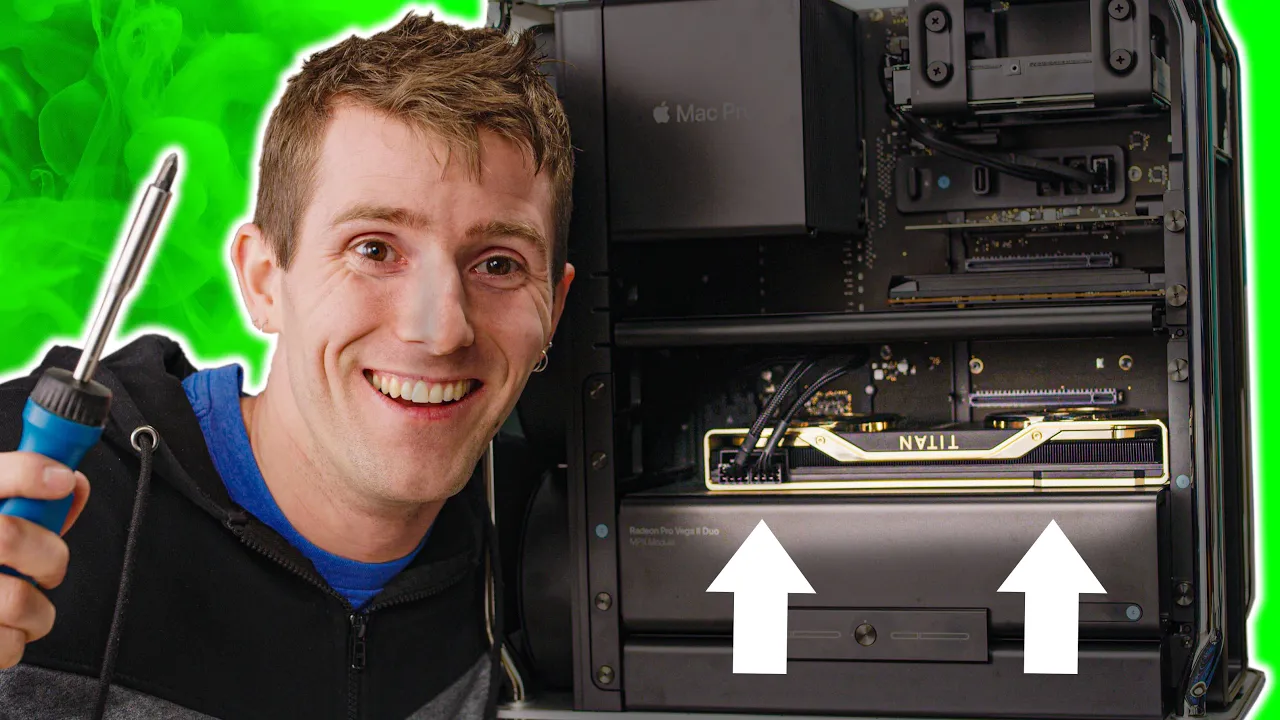
The video begins by reframing the Mac Pro upgrade journey as a cost-saving adventure, contrasting the expensive Apple-built configuration with a DIY path to higher performance. The host explains the plan to replace the stock eight-core CPU with a 28-core Xeon W 3275, add a large amount of RAM, and extend storage and GPU capabilities, all while keeping the core Mac Pro chassis intact. Early on, the team highlights the challenge of accessing the CPU in the Mac Pro and decides to take a hands-on, adventure-style approach rather than following the manufacturer’s official procedure. They demonstrate the initial disassembly, noting the various screws and locking mechanisms, and comment on Apple’s unusual heat sink and cooler mounting, which adds complexity to the upgrade. Throughout, they stress how upgrading memory is one of the most practical and cost-effective improvements, comparing ECC DDR4 and LR-DIMM options and outlining the expected price delta compared to Apple’s preconfigured memory. The narrative keeps a light, humorous tone, with banter about tool choices, the “giant” components, and the thrill of enabling a high-end configuration on a budget, setting the stage for a full practical upgrade that follows the on-screen steps. In the core upgrade segment, the crew removes the heatsink and CPU, comments on the thermal paste coverage, and maps out the unique CPU mounting design Apple used on the Mac Pro 2019. They carefully extract the existing CPU, reveal the socket design, and then guide the viewer through installing the 28-core Xeon and reseating the heatsink with a new thermal interface. The team emphasizes technique and safety, including the use of torque screws and captive fasteners, while also joking about the value of the machine and the risk involved. After the CPU install, they proceed with upgrading memory, stressing the necessity of ECC registered memory or LR-DIMM modules due to the Xeon platform. They demonstrate lining up memory notches, inserting sticks, and confirming stability, all while noting the impressive density of 128 GB per module and the overall 1.5 terabytes of RAM, capped by practical considerations like memory timing and motherboard constraints. The narrative then moves to expanding storage and PCI express capabilities. They install additional drive bays using an adapter and an external enclosure, showing how to connect two drives with integrated data and power cables while preserving the Mac Pro’s power architecture. The team also fits an Nvidia Titan RTX card and an AMD Radeon VII, detailing power cable arrangements with Belkin adapters and the physical considerations of long PCIe cards. The upgrade is framed as a modular process with minimal screws, and the hosts praise the Mac Pro’s design for supporting non-Apple GPU options and for its reserved space for expansion. They also experiment with PCIe lane allocation, balancing pools to optimize bandwidth, and demonstrate booting and testing a bootable NVMe SSD to enable multi-OS capability while noting Boot Camp compatibility and display driver quirks. Towards the end, the video demonstrates getting Windows and display output running, including troubleshooting a basic display adapter driver scenario and adjusting brightness. The hosts reflect on the overall ease of the upgrade relative to prior Mac Pro projects, acknowledge remaining caveats such as M.2 slot availability and the need to purchase a separate drive bay, and celebrate the achievement of a high-end configuration that would normally require Apple’s premium pricing. They close with a nod to enthusiasts who want a powerful Mac Pro without the Apple tax, reiterating the practicality of DIY approaches and the value of Storyblocks Video for supporting high-quality production. The closing remarks invite viewers to consider modding as a viable path and invite feedback on future upgrade projects, while also acknowledging Apple’s evolving stance toward user upgrades. Overall, the video blends instructional teardown detail with practical buy-in guidance, offering concrete steps, part lists, and cost comparisons that help viewers weigh the benefits of a high-performance Mac Pro upgrade versus buying Apple’s top-tier prebuilt options. It stays grounded in real-world constraints like RAM compatibility, storage boot behavior, and PCIe lane allocation, while delivering an entertaining narrative that remains informative for hardware enthusiasts and potential upgraders alike.
Topics · technology · hardware-modification · computer-hardware · consumer-electronics
Questions answered
- What is the main benefit of upgrading RAM in the Mac Pro shown in the video?
- Upgrading RAM provides a significant performance boost for memory-intensive tasks and allows for larger multitasking workloads, especially when running many browser tabs and virtual machines, while avoiding the high cost of Apple-configured RAM.
- Why did the hosts choose to replace the CPU, and what type did they install?
- They replaced the stock CPU to achieve higher processing power and installed a 28-core Xeon W 3275 to maximize performance for demanding workloads.
- Can the system boot with the original Apple SSDs removed or disabled?
- No, the original Apple SSDs are tied to the T2 security chip and must remain installed, but additional NVMe storage can be added without removing them.
- What graphics solution did they test in the Mac Pro upgrade, and what was the outcome?
- They tested an Nvidia Titan RTX in a PCIe slot with appropriate power adapters, demonstrating that non-Apple GPUs can be used in the Mac Pro with proper power wiring.
- What is a key practical caveat mentioned about storage expansion?
- You need to purchase a dedicated drive bay and an adapter to connect additional drives, as the Mac Pro’s internal layout requires external solutions for expanded storage.