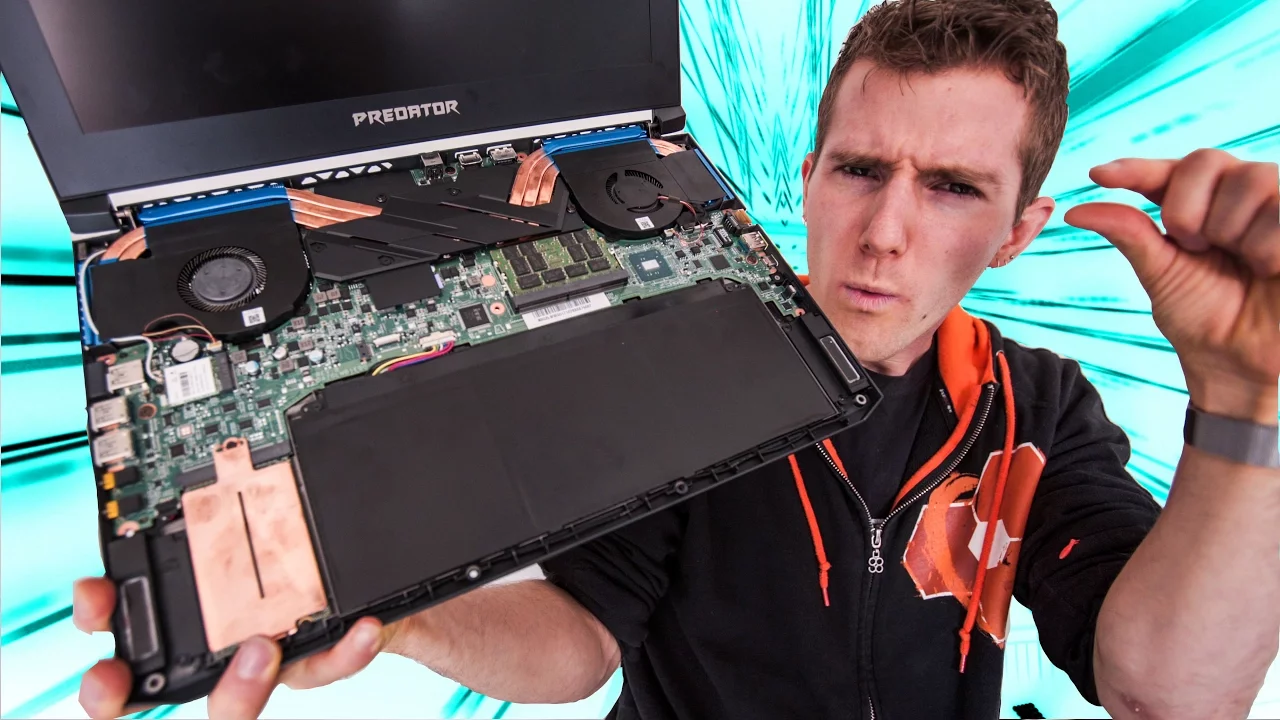
GTX 1080 in an ULTRABOOK??
0 up · 0 down · 0 ratings
Promos
The Predator Triton 700 from Acer is absolutely BANANAS. iFixit sponsor link: Use offer code LINUS to save $5 off a purchase of $10 or more at ifixit.com
Check out our merch store: designbyhumans.com Discuss on the forum: linustechtips.com Our Affiliates, Referral Programs, and Sponsors: linustechtips.com Linus Tech Tips Merchandise: designbyhumans.com Linus Tech Tips Posters: crowdmade.com twitter.com @LinusTech Intro Screen Music Credit: Title: Laszlo - Supernova Video Link: youtube.com iTunes Download Link: itunes.apple.com Artist Link: soundcloud.com Outro Screen Music Credit: Approaching Nirvana - Sugar High youtube.com Sound effects provided by freesfx.co.uk
The video takes us on a hands on exploration of the Acer Predator Triton 700, highlighting how this ultrabook is engineered to pack high end gaming hardware into a slim chassis. The host walks through the exterior design first, then opens the case to reveal internal components, noting the unusual trackpad layout and a keyboard described as mechanical with RGB lighting. Temperature management is a core theme, with the host pointing out six heat pipes and four heat sinks driven by twin aoblade fans, and discussing how this cooling system enables the laptop to sustain performance despite its thin form factor. The video shifts to practical performance considerations, including the potential for up to 32 gigs of memory, dual nvme slots for raid configurations, and a high end i7 processor, before addressing the cost, with the first models priced around three thousand dollars. Throughout, the host demonstrates the internal layout, stresses the importance of the keyboard mounting ribbon, and samples the build quality while offering a candid view of the compromises involved in squeezing desktop level hardware into a portable device. The segment concludes with a note on overclocking potential and the overall impression that Acer is serious about pushing gaming laptops into a thinner category, despite the inevitable tradeoffs in battery life and heat. Overall, the video blends a systems deep dive with practical observations that help viewers gauge whether the Triton 700 is a viable buy for portable gaming. It showcases the device in a real world context, comparing the cooling architecture to conventional laptops and underscoring the emphasis on accessibility features like the recessed USB port and a Gorilla Glass trackpad. The host also peppers the presentation with personal opinions about the trackpad shape, the wrist rest usability in a thin chassis, and a live demonstration of a kit tool from iFixit, which doubles as a promotional moment but also illustrates the repair friendly angle of modern laptops. Finally, the video integrates a cost and performance angle, suggesting that while the price is steep, the hardware configuration could represent a compelling balance for enthusiasts who want desktop-like gaming on the go, provided they accept the trade-offs inherent to such a compact machine.
Topics · technology · hardware · laptops · gaming